Meet Poh
Poh is the colleague who works every system.
Ask in plain English. Poh reads, checks, calculates and drafts across your inbox, your policy system and your databases, and in a conversation it stops for your approval before anything consequential.
Six moments, one colleague.
Working, waiting on you, done or not allowed: in the app each shows as a step, a flag or a plain message, so you always know where a request stands.
- Hello
- Working
- Waiting on you
- Done
- Not allowed
- Resting
How it works
Ask
Type what you need, or say it in the browser, from a quick lookup to a full submission work-up.
Poh works it
It reads documents, queries your systems and runs calculations, showing each step as it goes.
You approve
Changes to your policy system, outgoing email and writes through Connections wait for your Approve in a conversation, and every action lands in the audit log.
What Poh brings to the team
Reads every document
Scans, photos, PDFs and spreadsheets, page by page. Answers drawn from PDFs and scans cite the page and quote the passage.
Works within your access
Your Deep Thought role is checked on every action, IMS changes run on your own IMS login, databases are reached only through sources your administrator grants, and web APIs through Connections set up by you or your administrator.
Remembers what matters to you
Personal memory you can review and edit, and company knowledge your team keeps in the Data module.
Skills your team shares
Save a way of working once, then reuse it across the team.
Knows how IMS is set up
Ask why a bind is blocked or a rater won’t populate. Poh checks the configuration and explains it, with the fixes and who can make them.
Wherever you are
In the browser, the desktop app or on your phone. Type anywhere, or speak in the browser and on your phone.
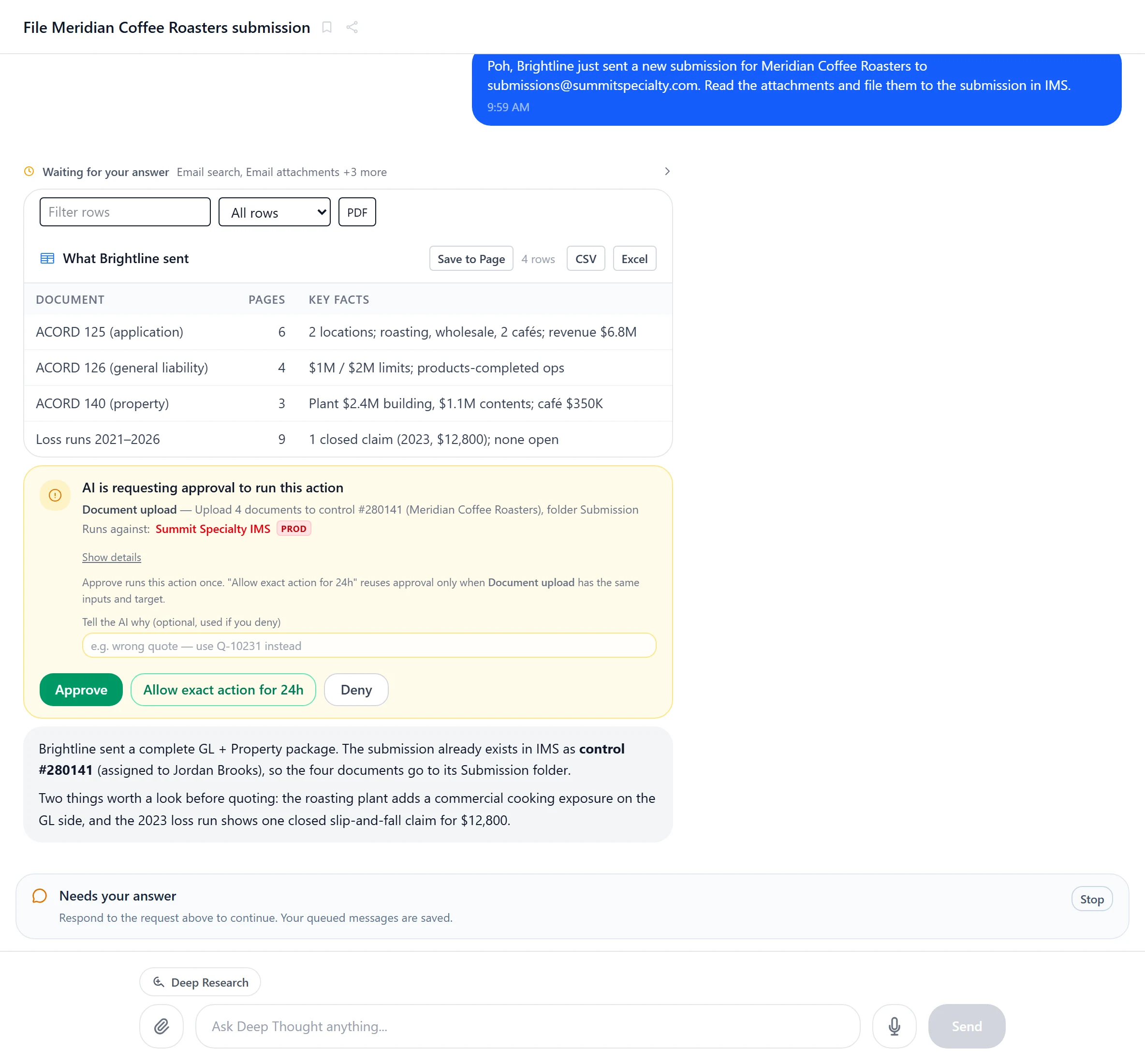
Always clear
You always know what Poh is doing.
In the app, each step shows as Poh works, the conversation is flagged when it needs your approval or an answer, and it tells you plainly when your role does not allow something.
- Approval cards before policy-system changes
- Every step visible
- Answers with their sources
- Your role, enforced
Put Poh to work on your desk.
We'll connect Poh to your systems and work real examples with your team.