Skip to content

For MGAs, carriers and multi-MGA groups

The AI colleague for insurance operations, on every system you run.

Poh builds the apps your team runs on, from submission intake to live data feeds, right on your policy admin system. It works your inbox and your databases too, and your people approve what matters.

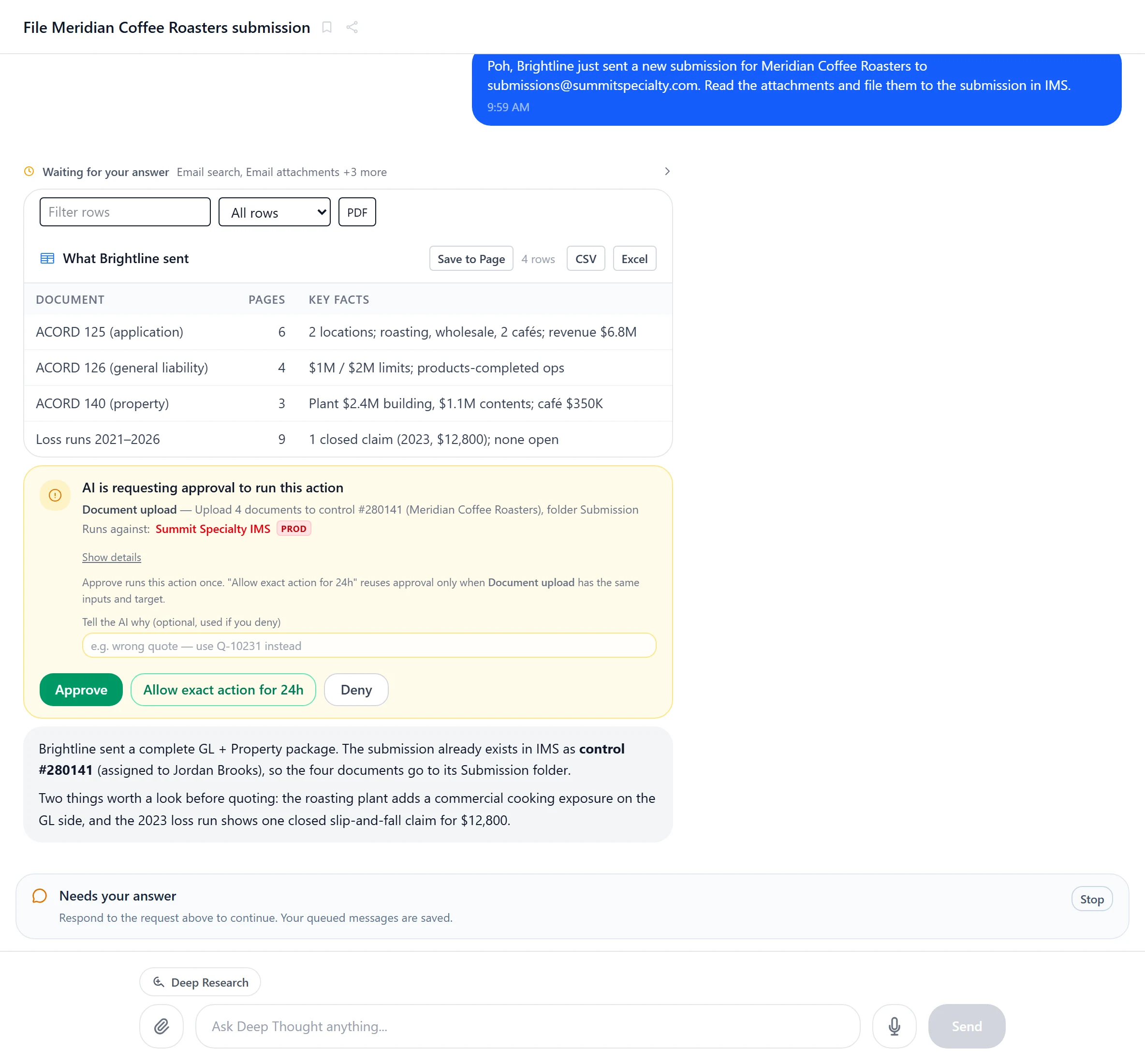
A conversation with Poh: it has read a broker's submission email and four attachments, listed each document with its key facts, and is asking for approval before filing them to the submission in the policy system
Works with
  • Your policy admin system
  • Microsoft 365
  • SQL Server
  • PostgreSQL
  • Web APIs
Deepest on IMS

Custom pages

If your team can describe it, Poh can build it.

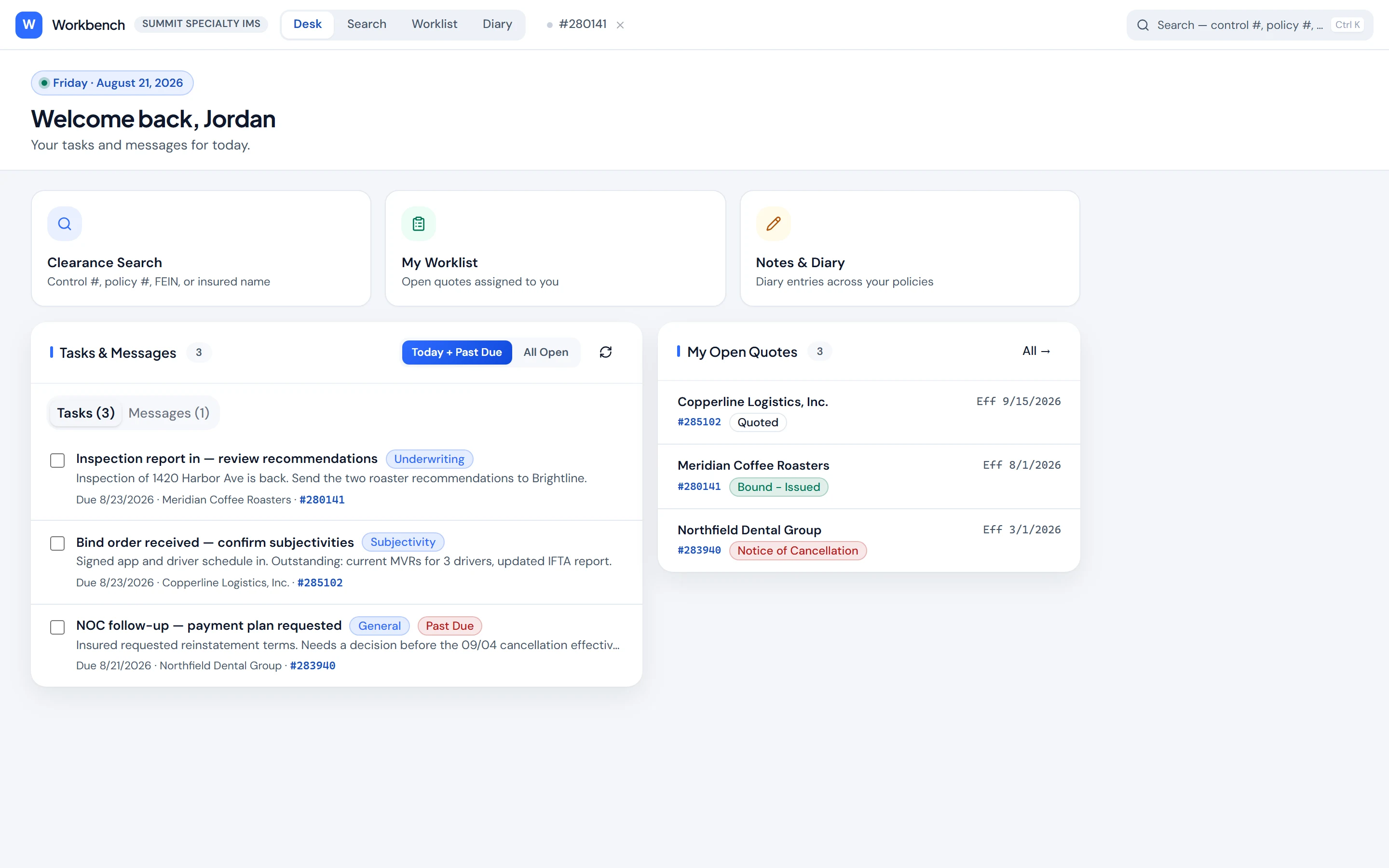
Submission intake, data feeds, renewal desks, clearance checks, claims alerts. Working apps that Poh builds on your policy admin system and your data. They read live, change records only after an approval, and every person opens them with their own login.

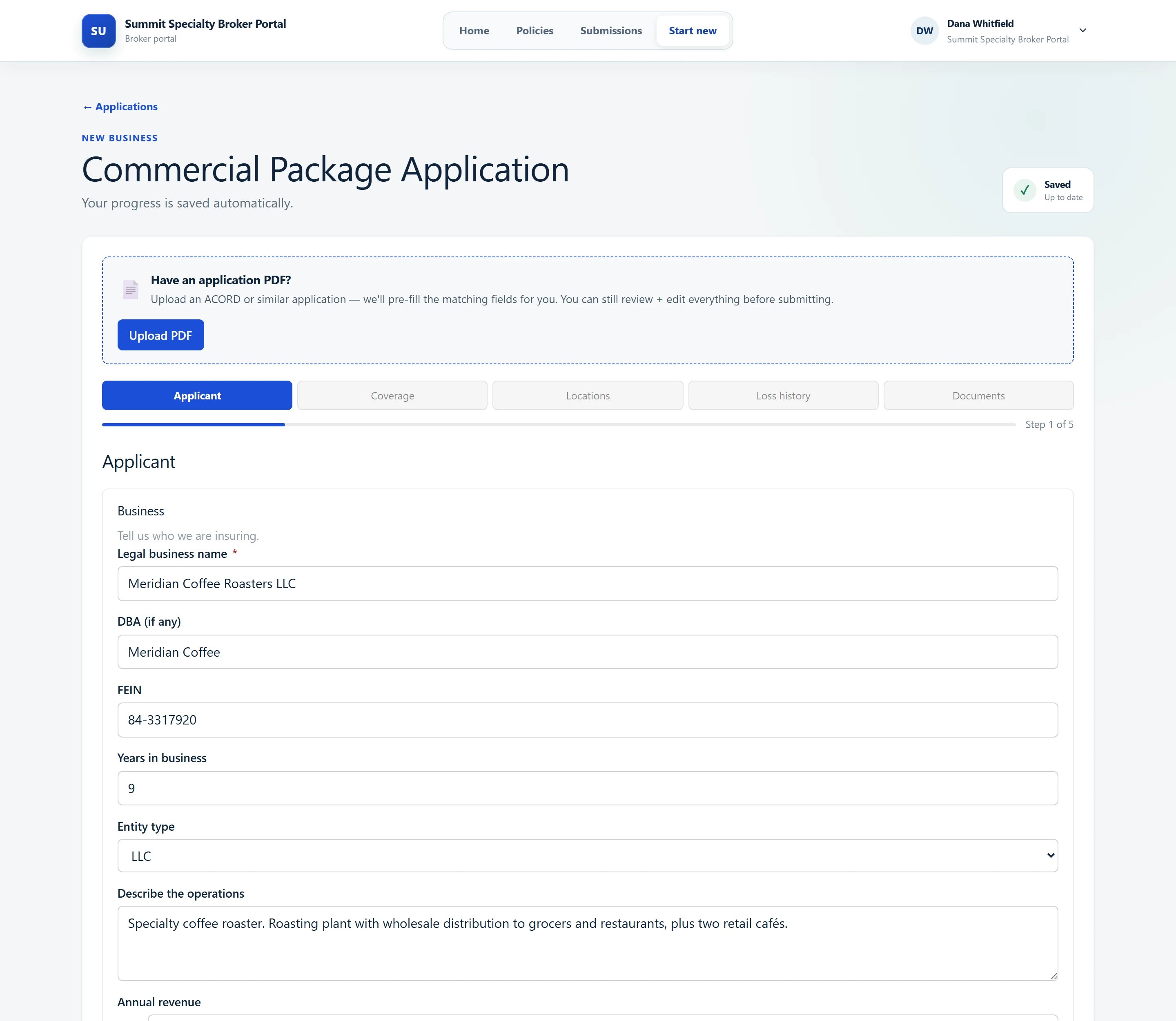
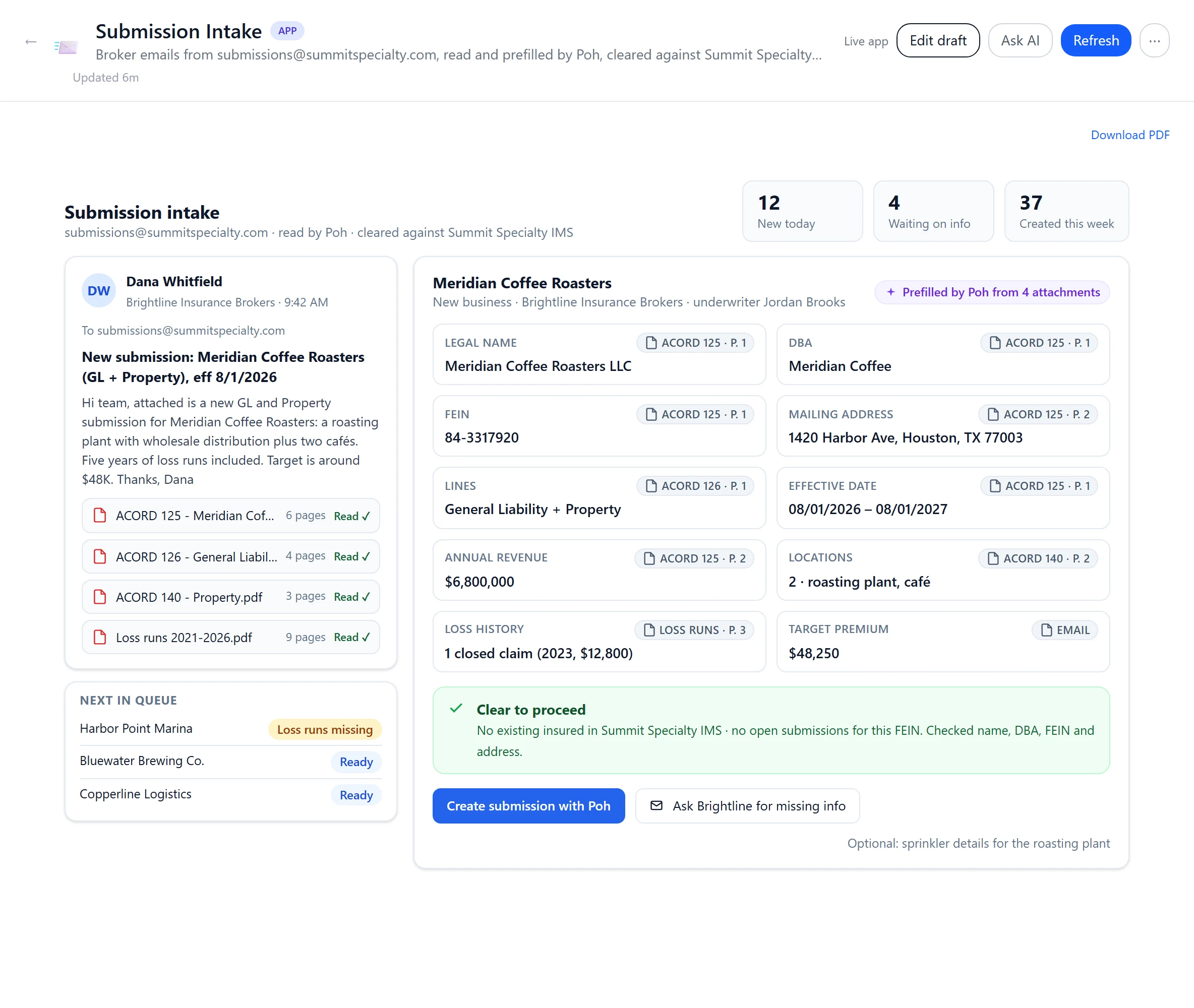
A Submission Intake page: the broker's email and its four attachments on the left, the application prefilled by Poh with a source page on every field, a clearance result, and buttons to hand the submission to Poh or ask the broker for missing information
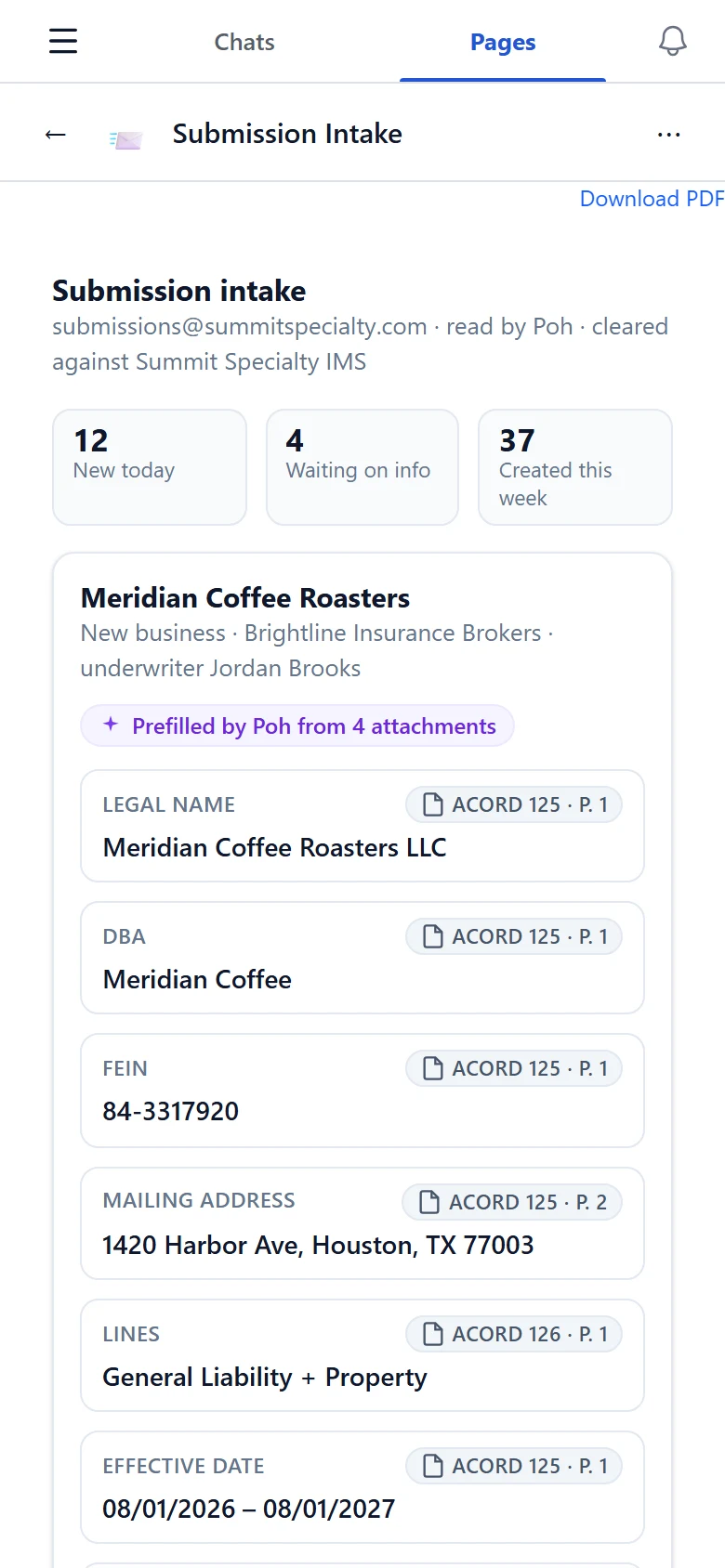
The same intake page on a phone
Built on your policy admin system

Submission intake, from inbox to policy system

A broker emails a submission. Poh reads the packet, fills in the application with the page behind every field, checks clearance against your policy system, and creates the submission in IMS when you approve. Missing information? It drafts the ask to the broker.

Reads
Inbox, attachments, policy system
Writes
New insured and submission in IMS, through Poh, after you approve
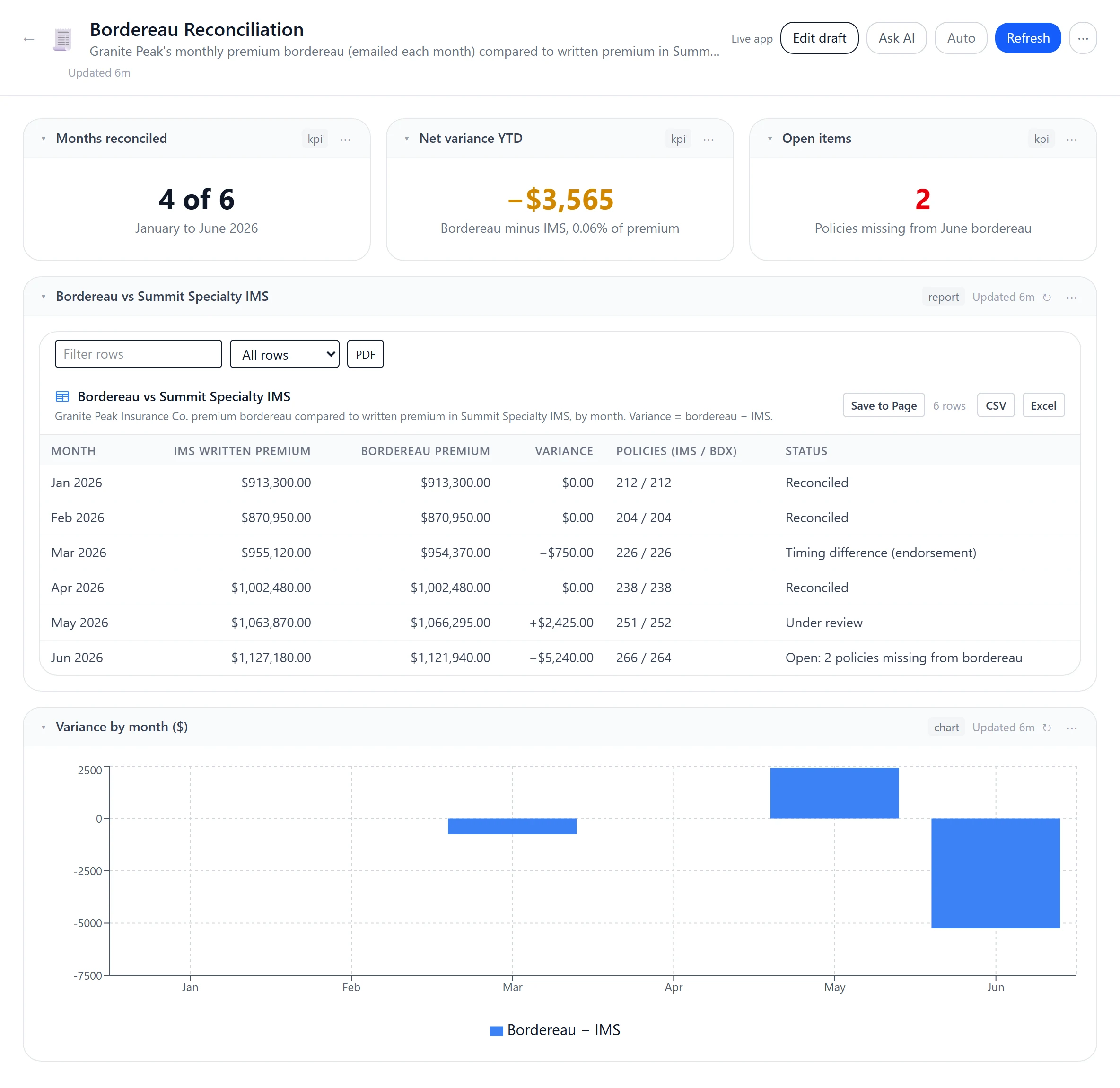
A Bordereau Reconciliation page: the carrier's monthly bordereau compared to written premium in the policy system, with variance by month

Data feeds that never go stale

Production, pipeline, loss ratios and bordereaux, live from your policy system, with your databases through saved reports. A carrier bordereau reconciled each month in a saved report with every row, and the page's view exported to Excel in one click.

  • Policy system
  • SQL Server
  • PostgreSQL
  • Every row
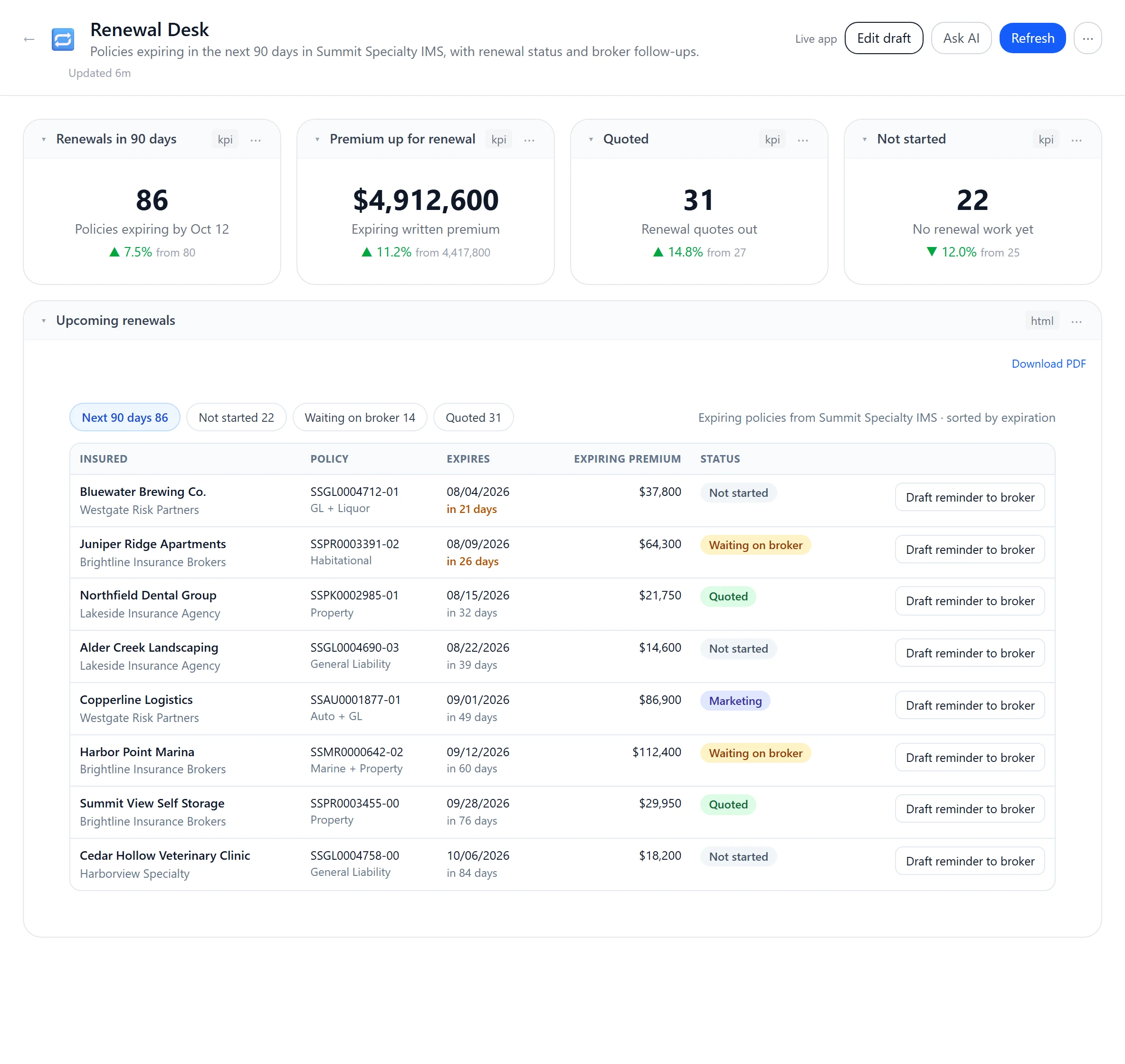
A Renewal Desk page: policies expiring in the next 90 days with status, and a button on each to draft a reminder to the broker

Pages that move the work

Renewal desks, referral queues and subjectivity trackers that line up the work and draft the reminder to the broker. Changes to your policy system go through Poh with your approval and are audited.

  • Drafts for you
  • Approval before any write
  • Audited
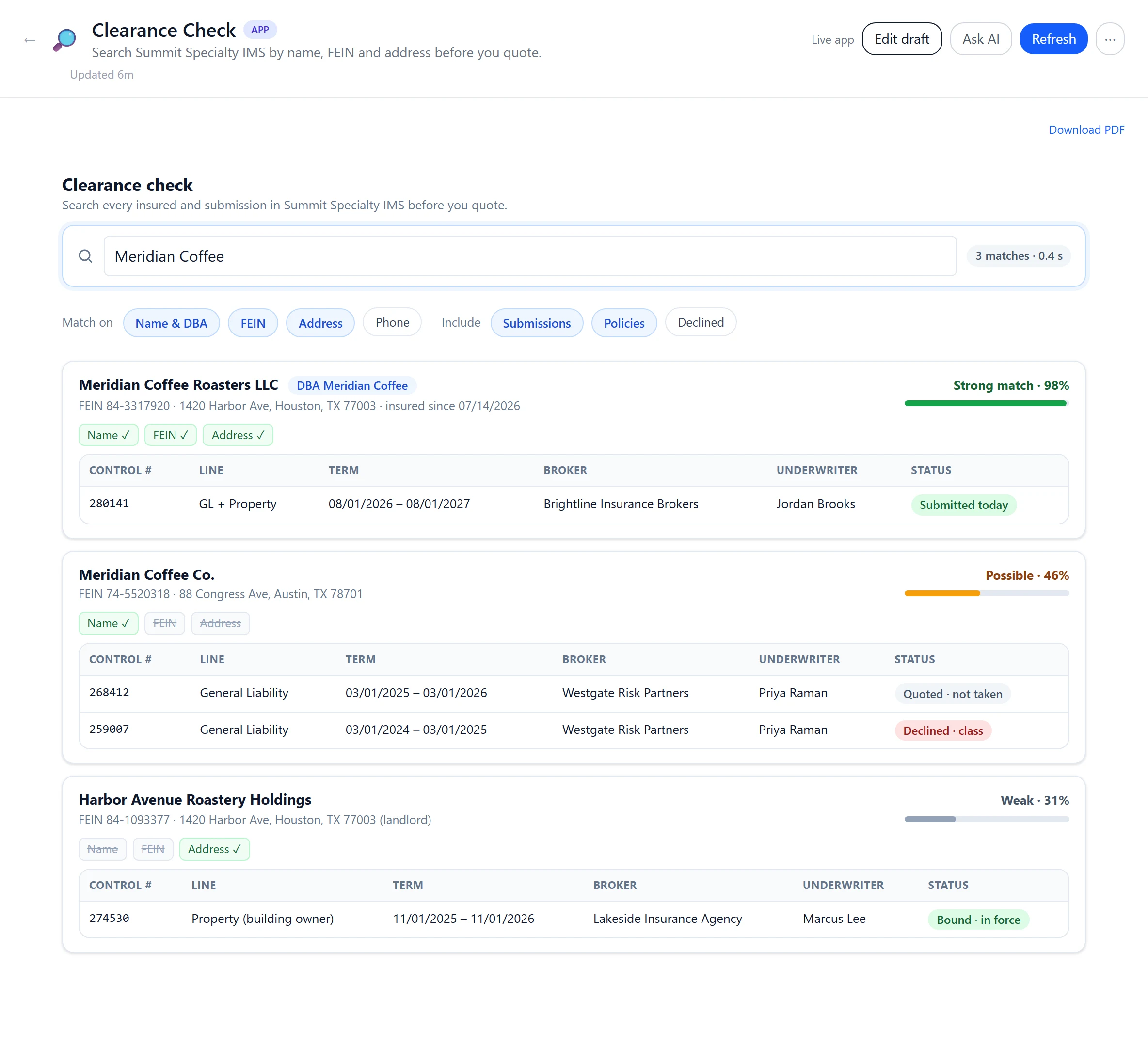
A Clearance Check page: a search matched across the policy system by name, FEIN and address with match strength
Clearance check. Name, FEIN and address matched across your policy system before anyone quotes.
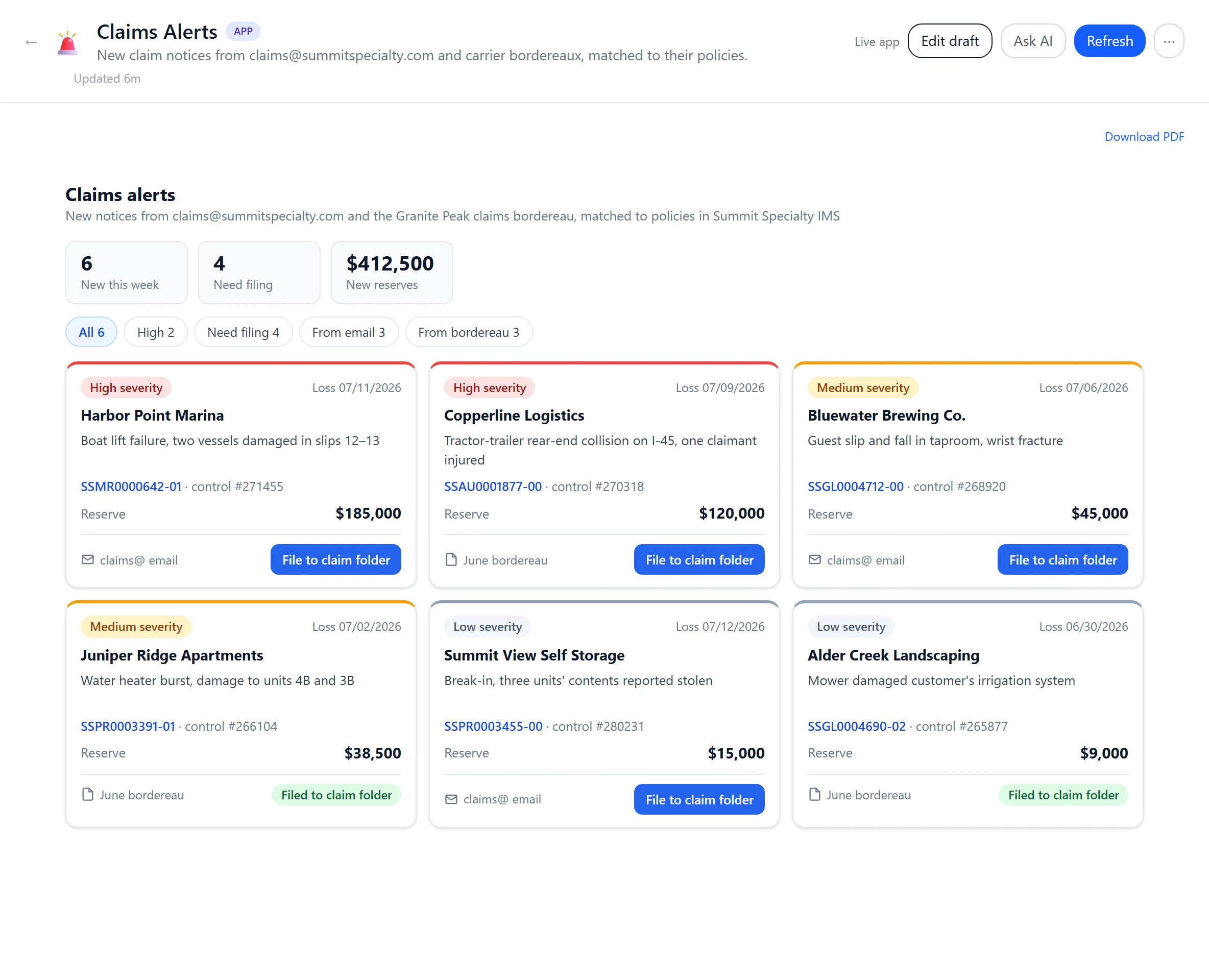
A Claims Alerts page: new claim notices from email and bordereaux, each linked to its policy with severity and reserve
Claims alerts. New notices from claims@ and bordereaux, linked to the policy and filed to its IMS folder.
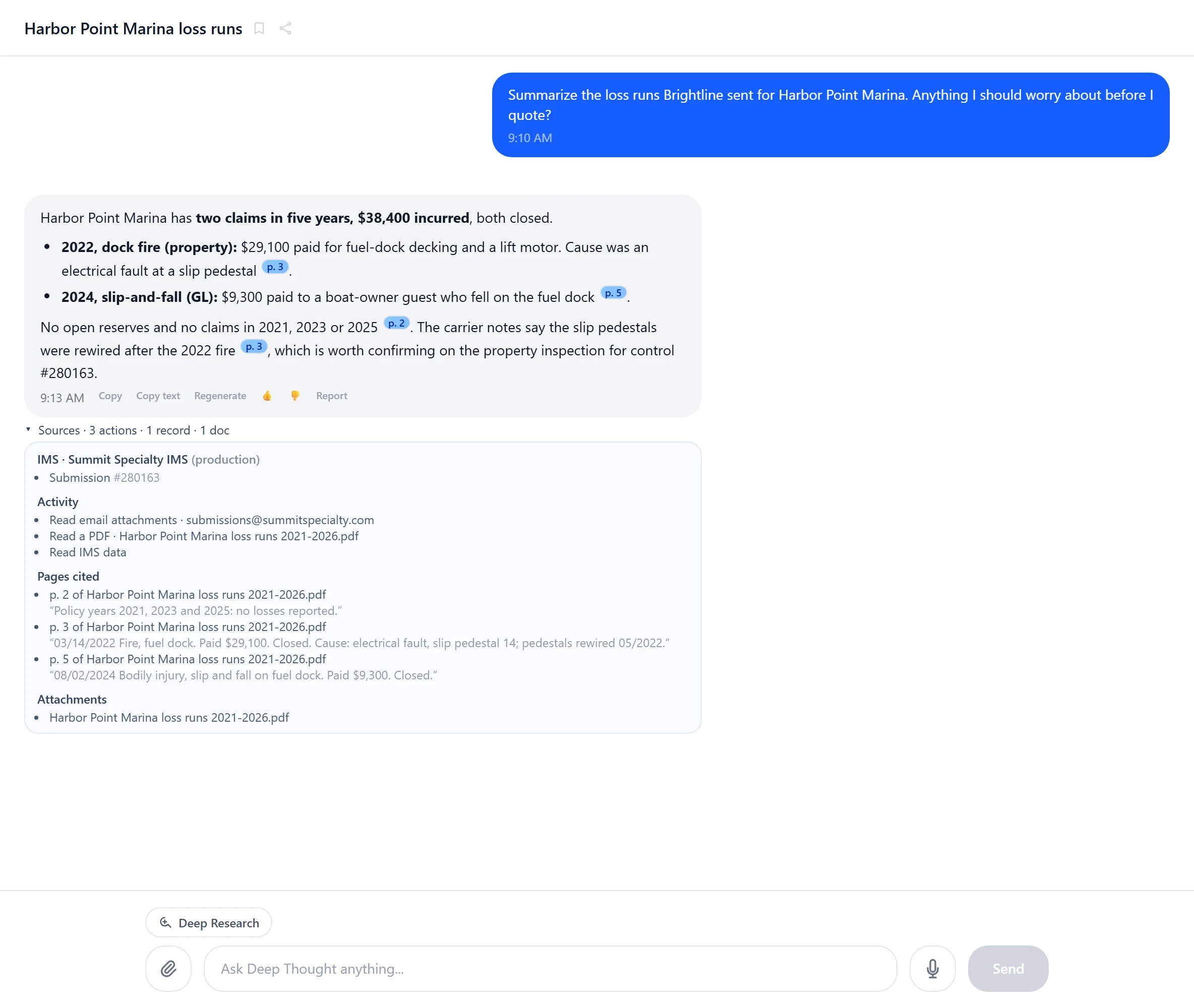
Poh asking for approval before it uploads four documents to the submission in the policy system
Approved before it writes. In a conversation, every change to your policy system shows what it will do first and waits for your Approve.

More of what teams build

  • Clearance checkSearch your policy system by name, FEIN and address before anyone quotes.Reads policy system
  • Renewal deskEvery renewal in the next 90 days, with the broker nudge drafted for you.Reads and drafts
  • Claims alertsNew claim notices from email and bordereaux, linked to the policy and filed to its IMS folder.Inbox + IMS
  • Bordereau reconciliationCarrier bordereaux checked against your policy system, month by month, variances flagged.Data feed
  • Broker scorecardsSubmissions, bind ratio and premium by broker, current every time you open it.Data feed
  • Subjectivity trackerOpen subjectivities by policy, with the reminder to the broker drafted for you.Reads and drafts
  • Loss run summariesYears of loss runs reduced to one table, with the page behind every figure.Documents
  • Leadership on the phoneWritten premium, binds and pipeline, live, in a page that fits a phone.Data feed
  1. Describe itWhat the page is for and who uses it.
  2. Poh builds and checks itIn a real browser, before anyone else sees it.
  3. Writes need approvalOn shared pages, buttons that change records stay off until an administrator approves them.
  4. Share itReviewed, versioned, and opened by each person with their own login.
See everything pages can do

Ask Poh why

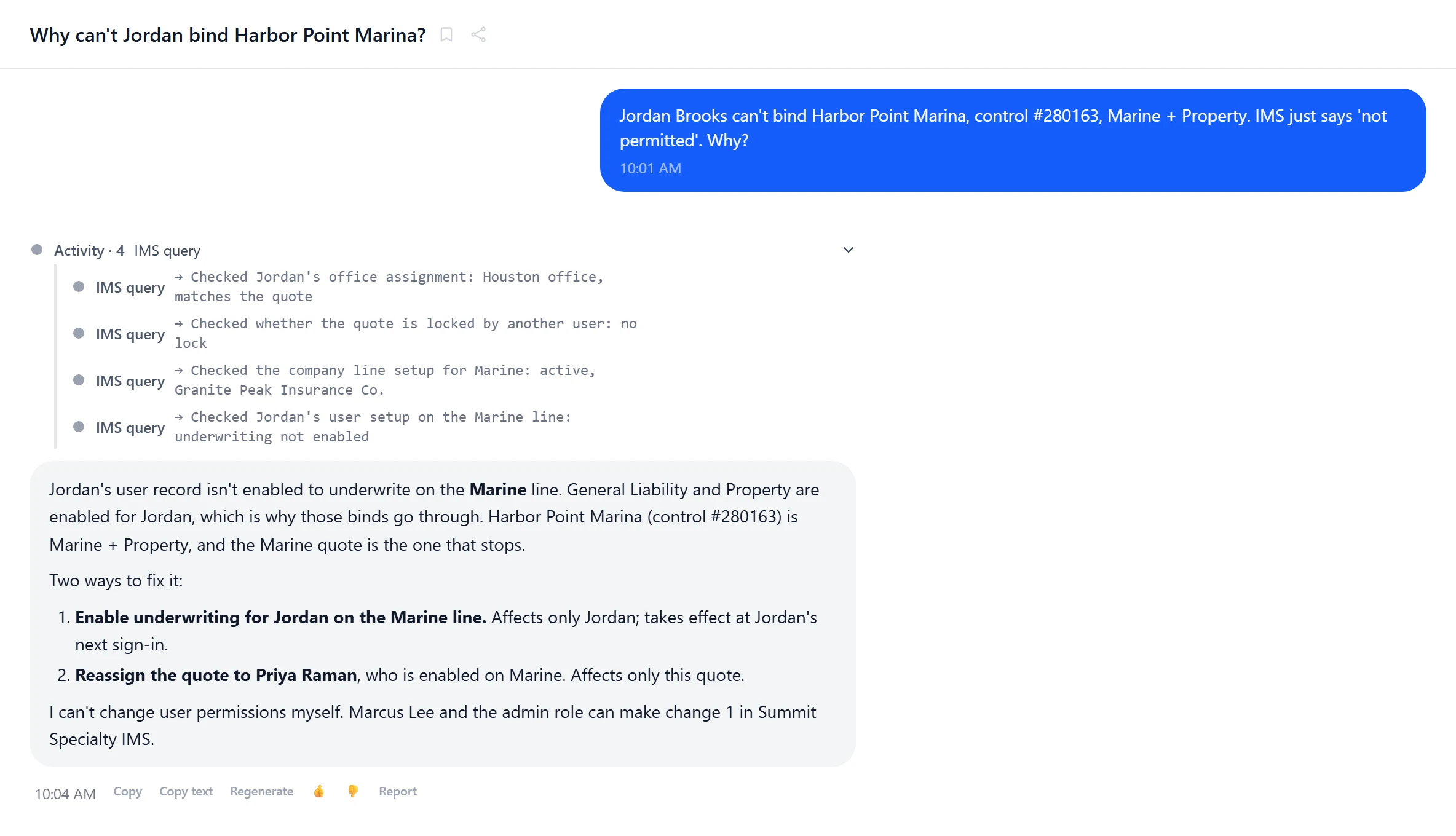
“Why can’t Jordan bind this?”

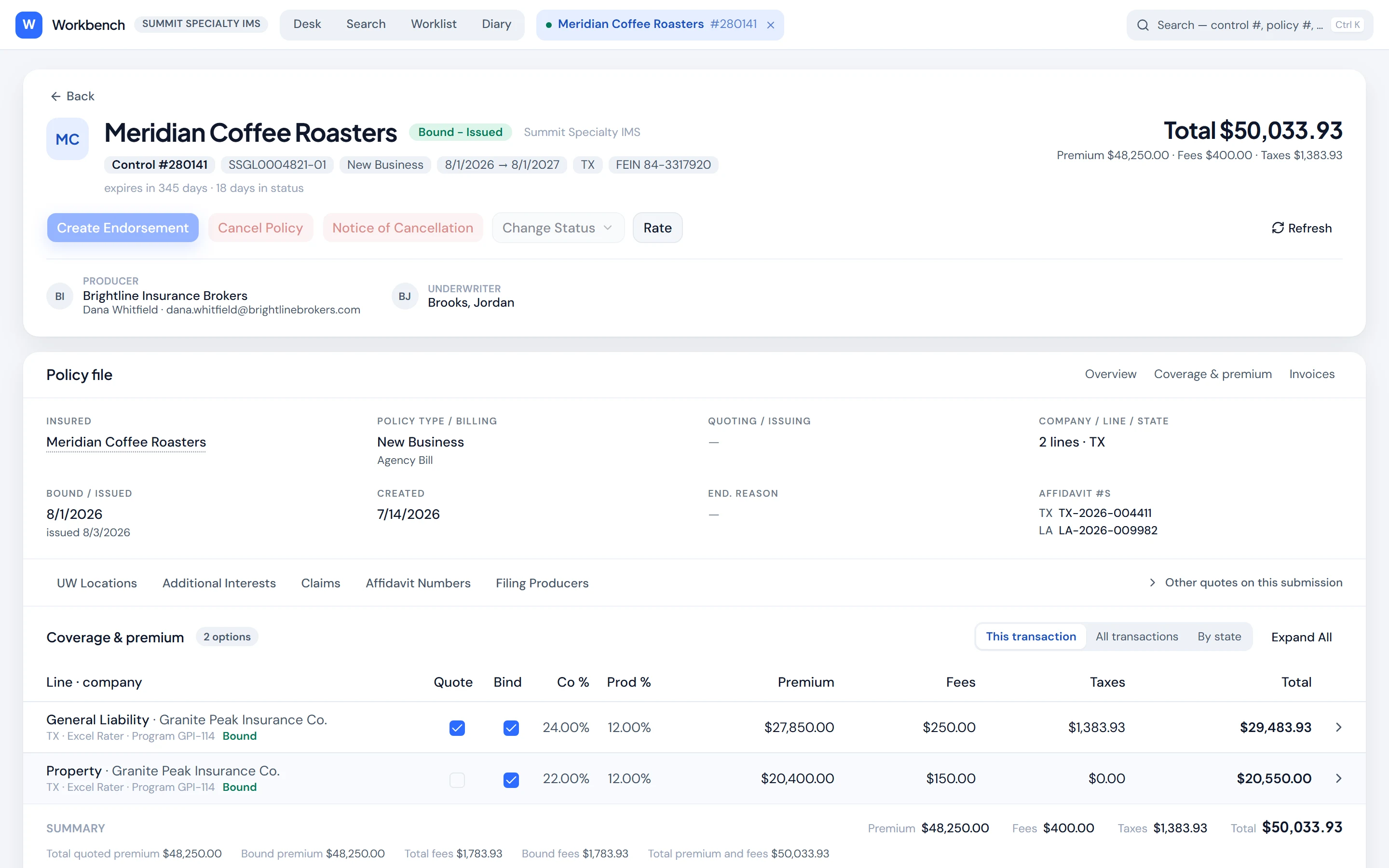
Poh knows how IMS is set up: offices, user rights, lines, raters, fees and commissions. When something refuses to work, ask. Poh checks the likely causes against your configuration, names the one that applies, and lays out the fixes with what each one affects. It never changes a setting on its own.

  • Permission blocks, rater problems, fees and commissions on the wrong line
  • Every check shown, in plain English
  • Fixes with their blast radius, and who can make them
  • Minutes, not a support ticket
How Poh knows IMS
A conversation where an underwriter asks why a bind is not permitted; Poh shows four checks against the policy system, names the cause, offers two fixes with what each affects, and says who can make the change

Why it works

Most AI lives inside one tool. Poh works across all of them.

A copilot inside one system can only see that system. Poh connects to your policy admin system, your inbox and your databases at once, so one request can read a submission, check the account, rate it and draft the reply, and one page can bring all of it together.

Poh reads

  • Your policy admin system
  • Inbox · Microsoft 365
  • SQL Server and PostgreSQL
  • Web APIs
  • Documents and spreadsheets
Poh

Works out what the request needs, does it across systems, and in a conversation asks before anything consequential.

Poh delivers

  • Apps on your policy system
  • Data feeds, and reports with every row
  • Quotes and binds, approved in chat
  • Documents filed to IMS
  • Replies drafted, or sent from chat once you approve

AI governance

AI governance, and a platform that enforces it.

Decide what AI may access, what needs approval and what must be recorded.

Build your integrations, pages, reports and automations inside Deep Thought. They use the platform’s sign-in, permissions, approvals and records, so each project doesn’t need its own set of controls.

Read the governance principles
The Hub: everything behind one doorYou and Poh stand outside one hub and enter through the same door: sign-in, permissions, approvals and the action record. Your connected systems and what you and Poh build sit behind that door.Youyour teamPohyour AI helperThe HubThe door. The only way in.Sign-inPermissionsApprovalsAction recordThe same door for you, for Poh,and for what Poh builds.YOUR SYSTEMSPolicy systemMicrosoft 365DatabasesDocumentsWeb APIsAnything elseassessed firstConnected through the hubWHAT YOU AND POH BUILDPages and appsReportsDashboardsAutomationsShared pages reviewedbefore publication

Email

Every email becomes work.

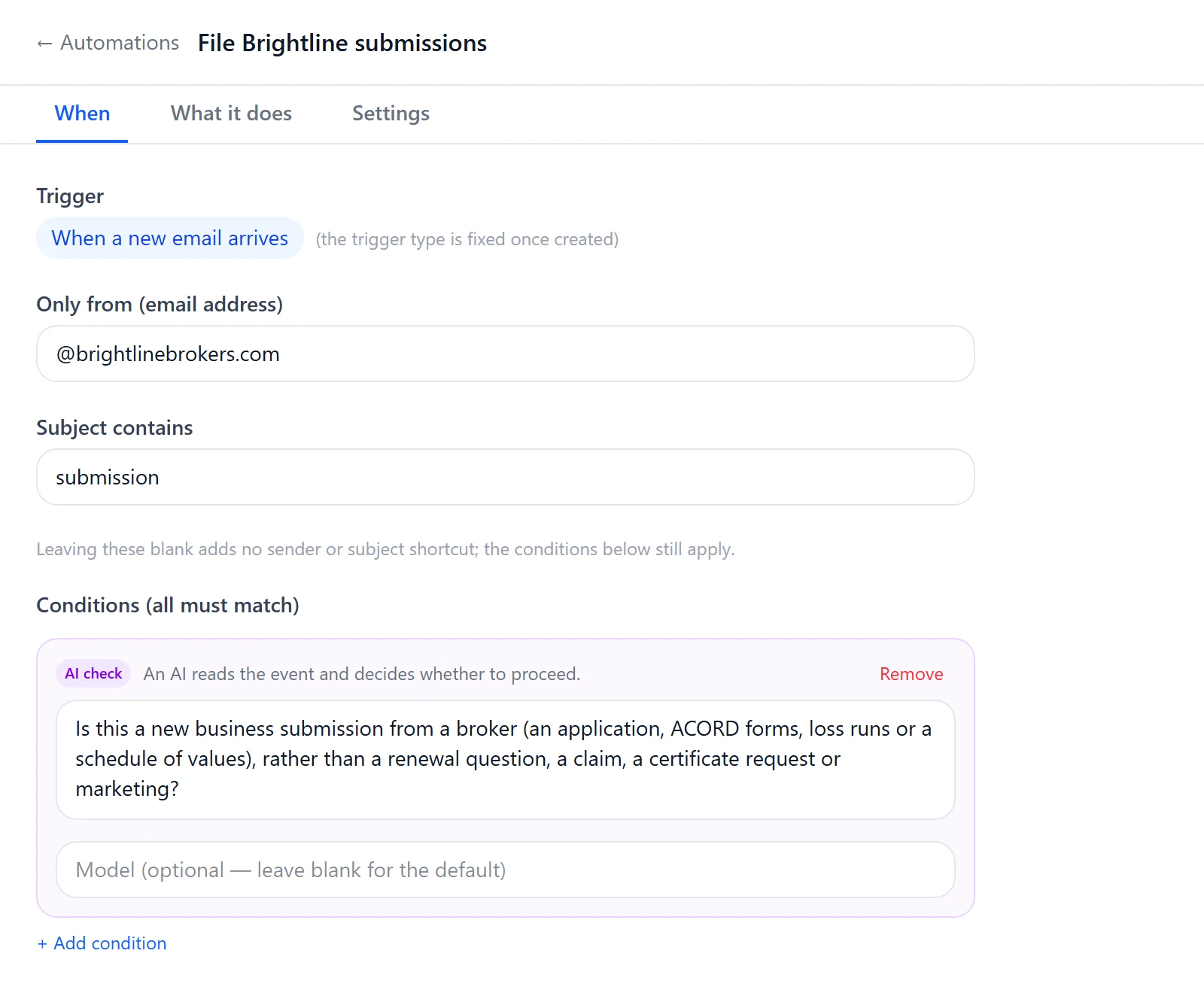
Point Poh at a personal or shared inbox. New mail starts the work: Poh reads the message and every attachment, files them to the right submission on IMS, updates your pages, and drafts the reply for you to send.

  • Personal and shared Microsoft 365 inboxes
  • Reads PDFs, scans and spreadsheets
  • Rules by sender, subject or a plain-English check
  • Every run recorded for its owner to open and review
See how email works
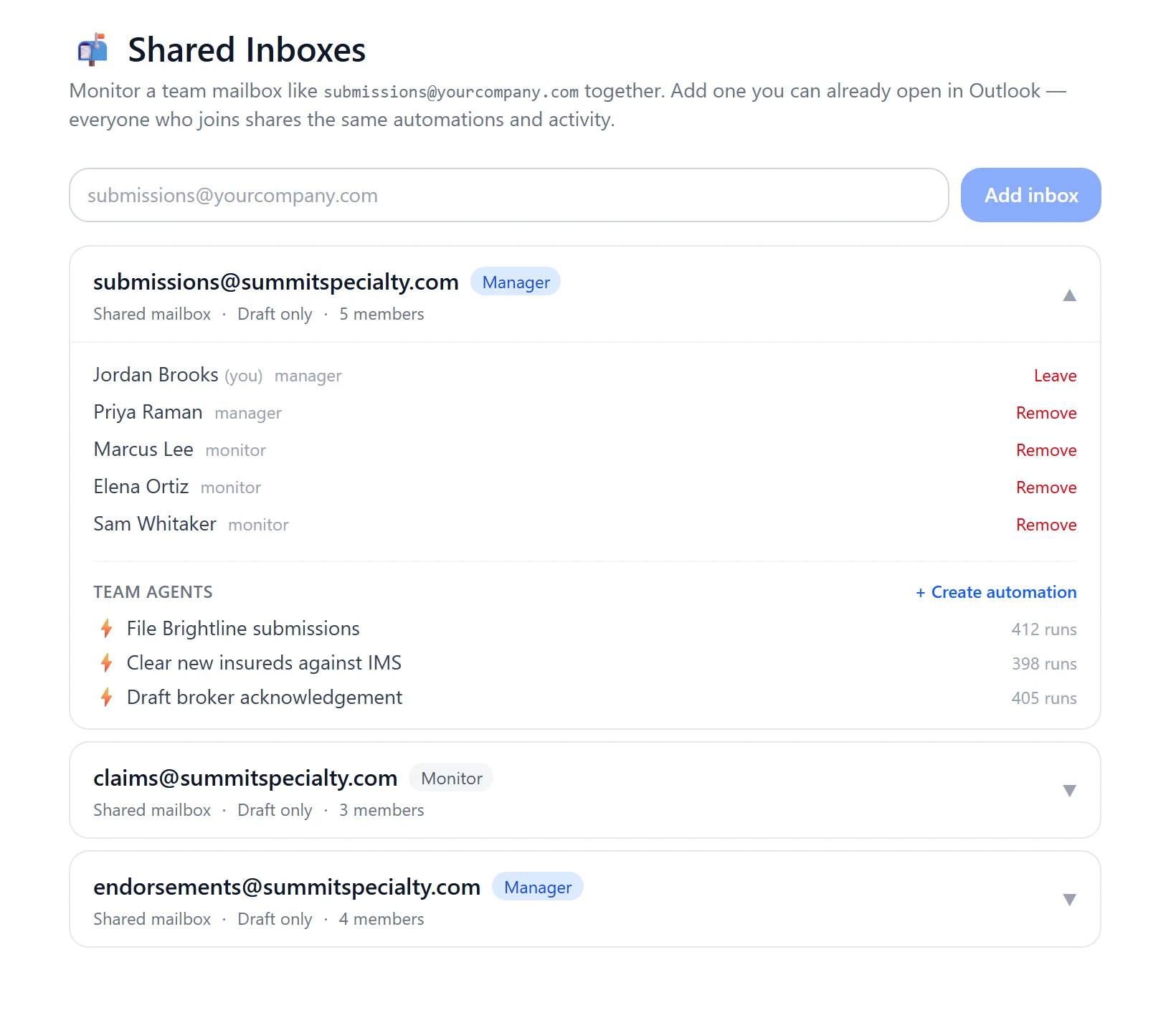
The Shared Inboxes view: submissions@summitspecialty.com with its members and the team automations that work it
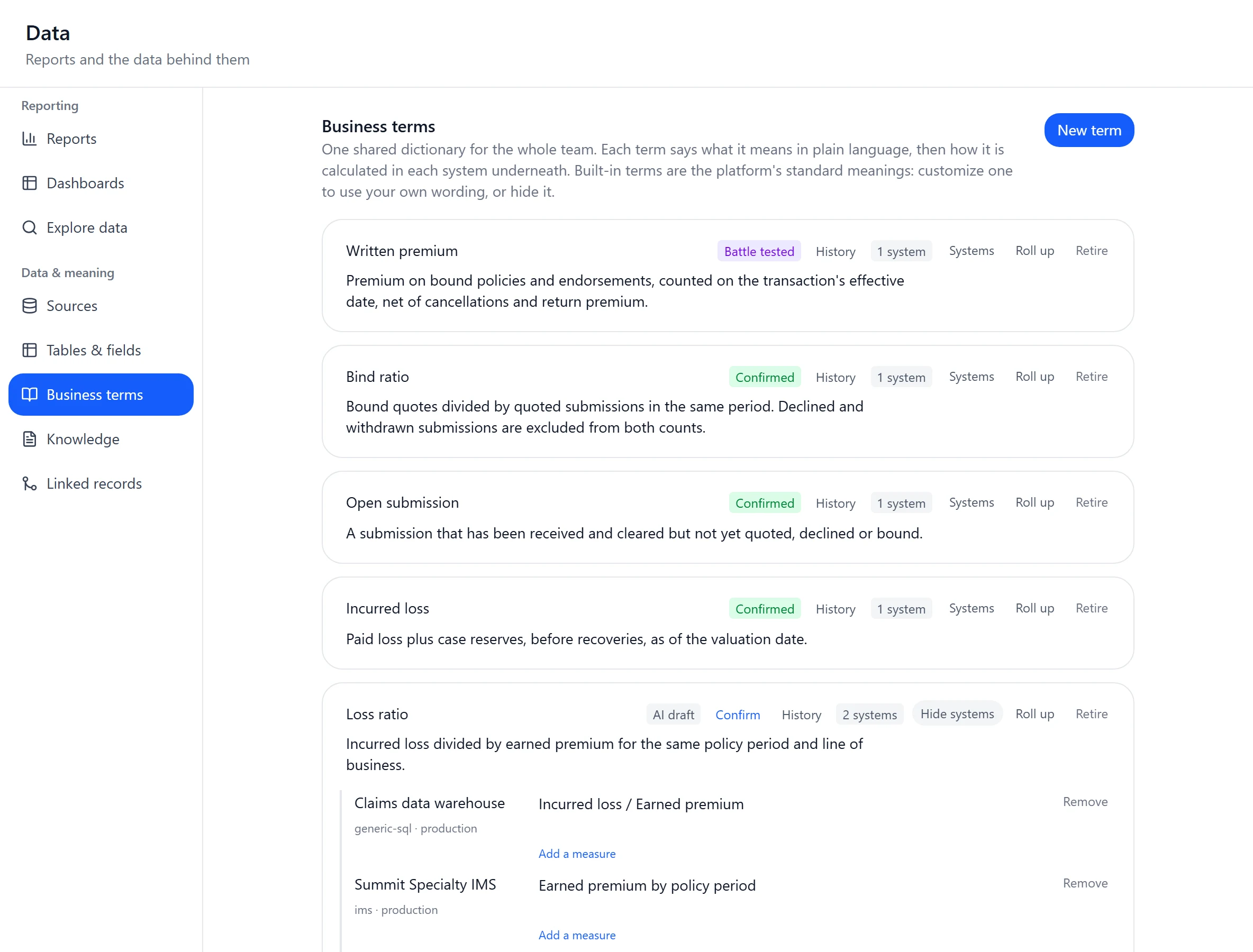
Business terms in the Data module: written premium, bind ratio and loss ratio defined once, with loss ratio mapped across a claims warehouse and the policy system

Any data source

Your policy system and your databases, in one place.

Connect a database with a read-only login and Poh maps every table and relationship. Define a business term once, such as written premium, and Poh and Data-module totals use the same meaning on every system.

  • SQL Server and PostgreSQL, read queries only
  • Terms totalled across systems, held back when adding would mislead
  • Anything with a web API, through Connections
  • Other systems onboarded with you
See how data works
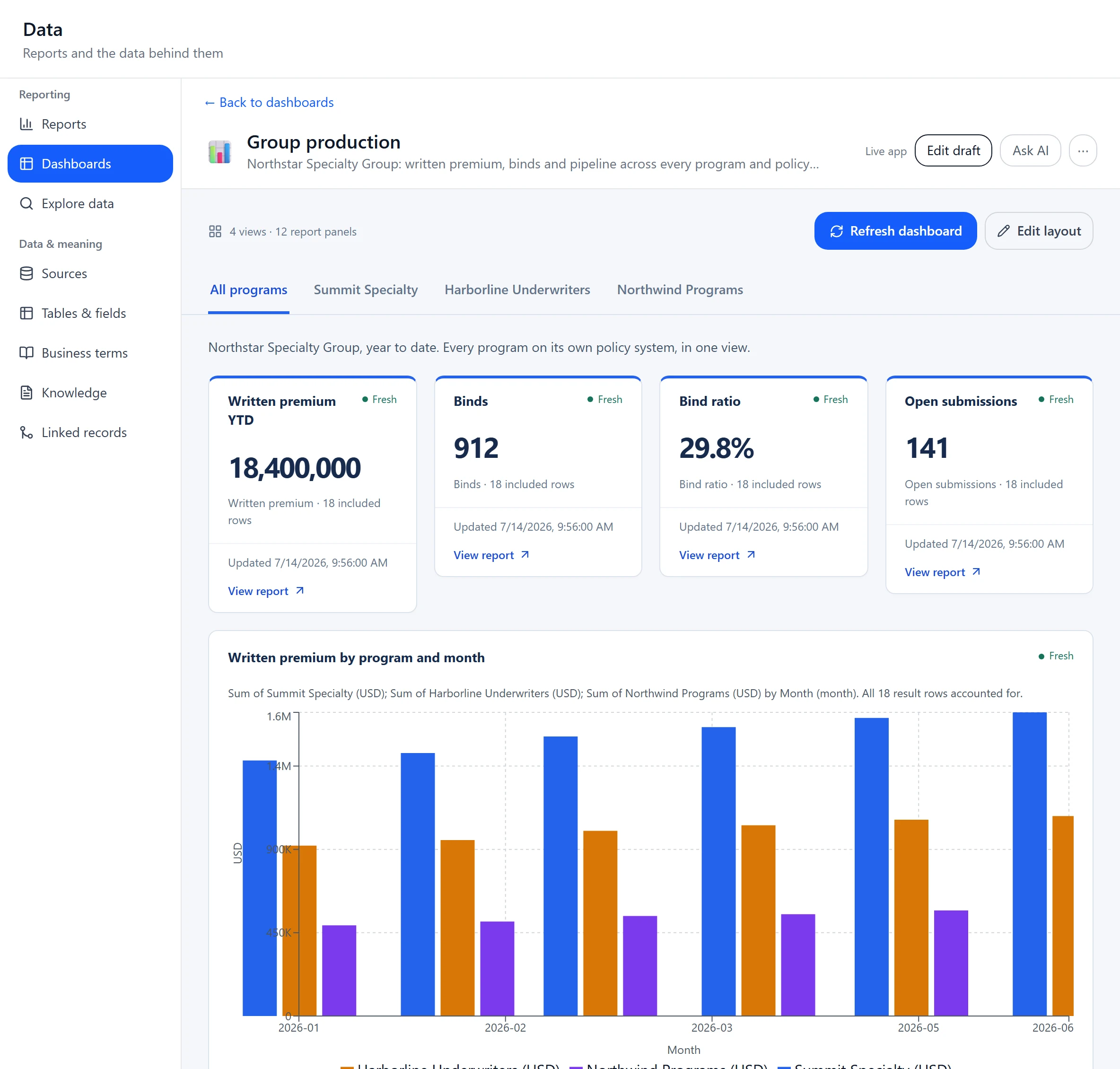
A Group production dashboard: one tab per MGA and a total across all programs, with written premium by program and month and a table showing which policy system each program runs

For groups that run several MGAs

One view above every program, whatever system each one runs.

Connect every program's policy system and databases to one workspace. Group reports and dashboards sit across all of them, each person reaches only the systems they're granted, and business terms map to each system. Acquire an MGA on IMS, SQL Server or PostgreSQL and it joins the same picture.

  • Every program in one workspaceEach program’s policy system and databases, side by side.
  • Group reporting across systemsProduction and loss across every program.
  • Access per person and per systemPeople reach only the systems they’re granted.
  • Terms mapped to each systemWritten premium defined once, mapped everywhere.

Name the app your team has always wanted.

We'll connect Poh to your systems and build it with your team, on your data. In production today at specialty MGAs and multi-MGA groups.

See it on your data