Deep Thought
// connect to anything

Plug into your whole stack. The agent never sees your credentials.

A secure proxy to any API you connect — your CRM, agency-management and rating systems, carriers, compliance tools, your own systems. Credentials stay in the vault, only the endpoints you allow get called, and every request is audited.

// how it works

Three steps to a connection your agent can use safely.

An admin defines what's reachable. The proxy enforces it on every call. The agent works inside those lines — and never touches a secret.

01

Define the connection

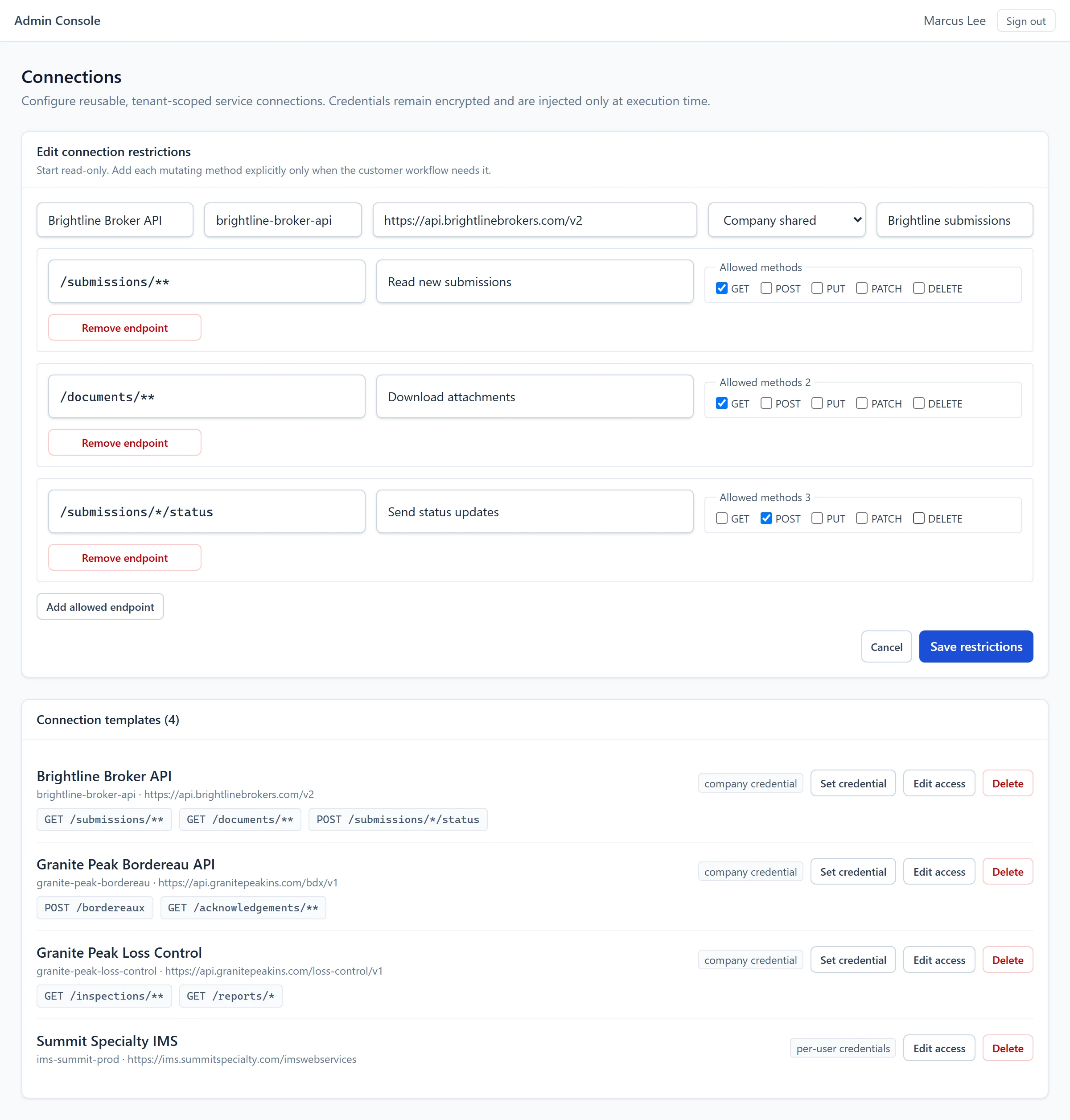
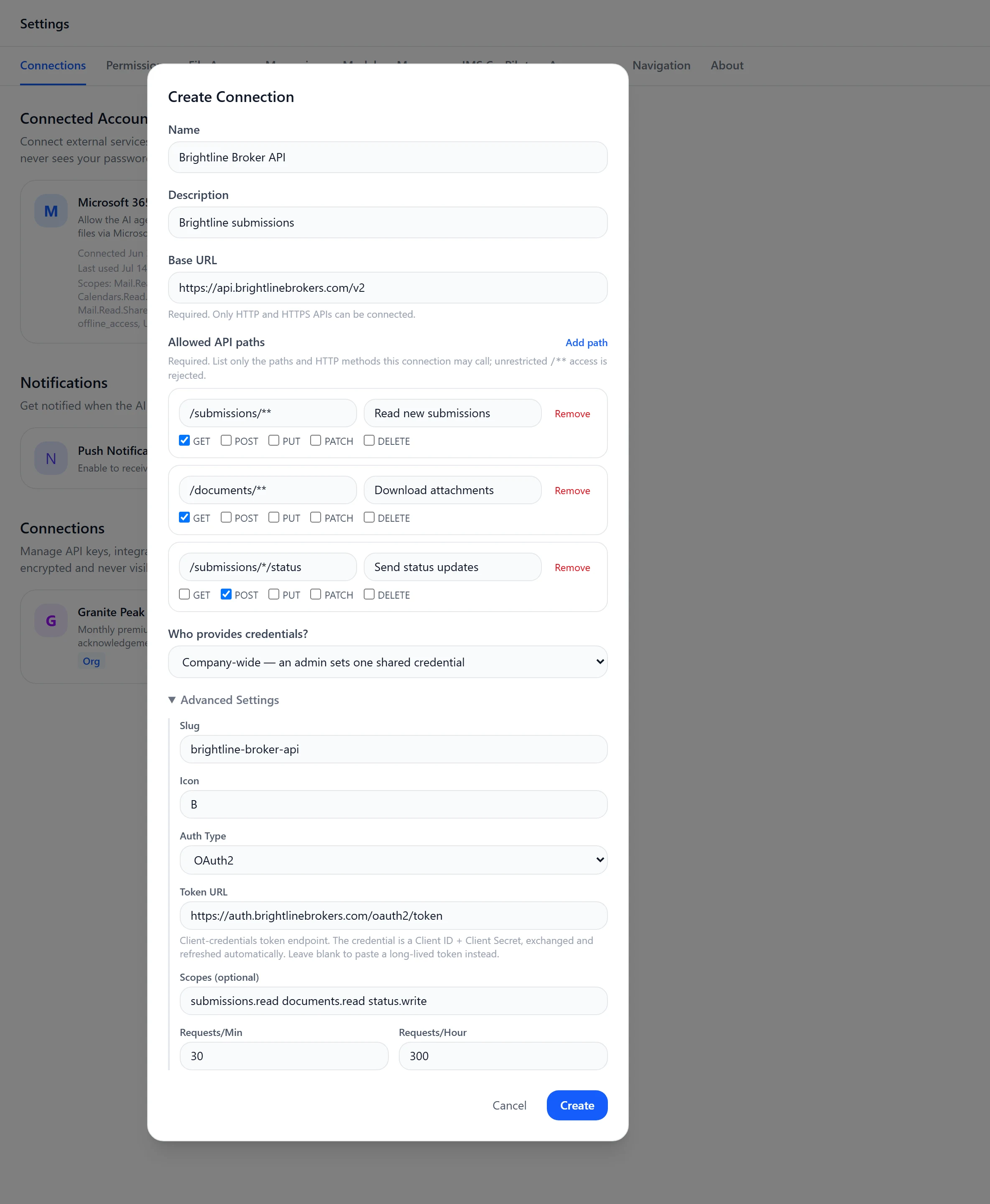
An admin registers the API and lists the exact endpoints the agent is allowed to reach. Nothing outside the allowlist is callable.

02

Store credentials in the vault

Keys and tokens are encrypted and held in the vault. The AI never sees them — the proxy injects credentials only at the moment of the call.

03

The agent calls it safely

Requests run through the proxy: allowed endpoints only, rate-limited, with responses scrubbed of secrets and every call written to the audit log.

// what you can connect

Connect what you already run.

Point a connection at your systems of record, your carriers, your compliance tooling, or the internal services only your team has. If it speaks HTTP, the agent can use it through the proxy.

Connect to your CRM

Wire up Salesforce or another CRM to read and update accounts, contacts, and opportunities so the agent works from the same records your producers do.

Agency management & rating

Connect to systems like Vertafore to pull policy context and keep records aligned — behind the allowlist you define.

Carrier APIs

Connect carrier endpoints for quote, bind, and status lookups — registered per program, behind the allowlist.

OFAC & compliance

Connect the sanctions and watchlist services you use so screening can happen as part of the workflow, not after it.

Document services

Generate, fetch, and store policy documents and forms through the services you already license.

Your internal APIs

The line-of-business systems only you have. Register them once and the agent treats them like any other connection.

// no api? no problem

When there's no API, it uses the screen.

Plenty of insurance systems were never built to be integrated. For those, the agent drives the real interface the way a person would.

  • Operates the actual application — clicks, types, and navigates the live UI.
  • Every action is logged, with screenshots captured along the way, so the work is reviewable.
  • A reliable bridge to legacy systems that have no integration of their own.
  • Same guardrails apply: scoped access, full audit trail, nothing hidden.
action log
screenshot-backed
01Open policy in management UI
02Locate endorsement screen
03Enter effective date
04Capture confirmation number
every step recorded · screenshots captured
// email

Email, both ways.

The agent works your inbox as part of the loop — reading what comes in and sending on your behalf, inside your sending domain and policies.

Reads incoming submissions

New submissions and replies land where the agent can act on them — so the work starts the moment a message arrives.

Sends on your behalf

Quotes, requests for information, and follow-ups go out under your domain, with a record of what was sent and when.

This is the connectivity half of email. The reading, classifying, and data-extraction of an inbound submission lives in the submission intake use case.

// security

Secure by construction, on every connection.

The same controls apply whether the agent is calling an API, driving a screen, or sending mail. There's no path around them.

Endpoint allowlists

The agent can only reach the specific endpoints an admin approved. Anything outside the list is blocked at the proxy.

Credential injection

Secrets stay encrypted in the vault and are attached only at call time. The AI never sees a key, token, or password.

Audited end to end

Every request and response is logged and scrubbed of secrets, giving you a complete, reviewable trail of what the agent did.

// connect it

Wire your agent into the stack you already run.

Tell us which systems matter most and we'll show you the agent working across them — securely — in a live walkthrough.

POH idle