IMS
Deepest on IMS.
Deep Thought runs the underwriting desk, rating, binding and reporting on IMS through one agent, and explains your configuration. Poh knows how your IMS is set up, and tells you why something isn’t working.
What runs on IMS
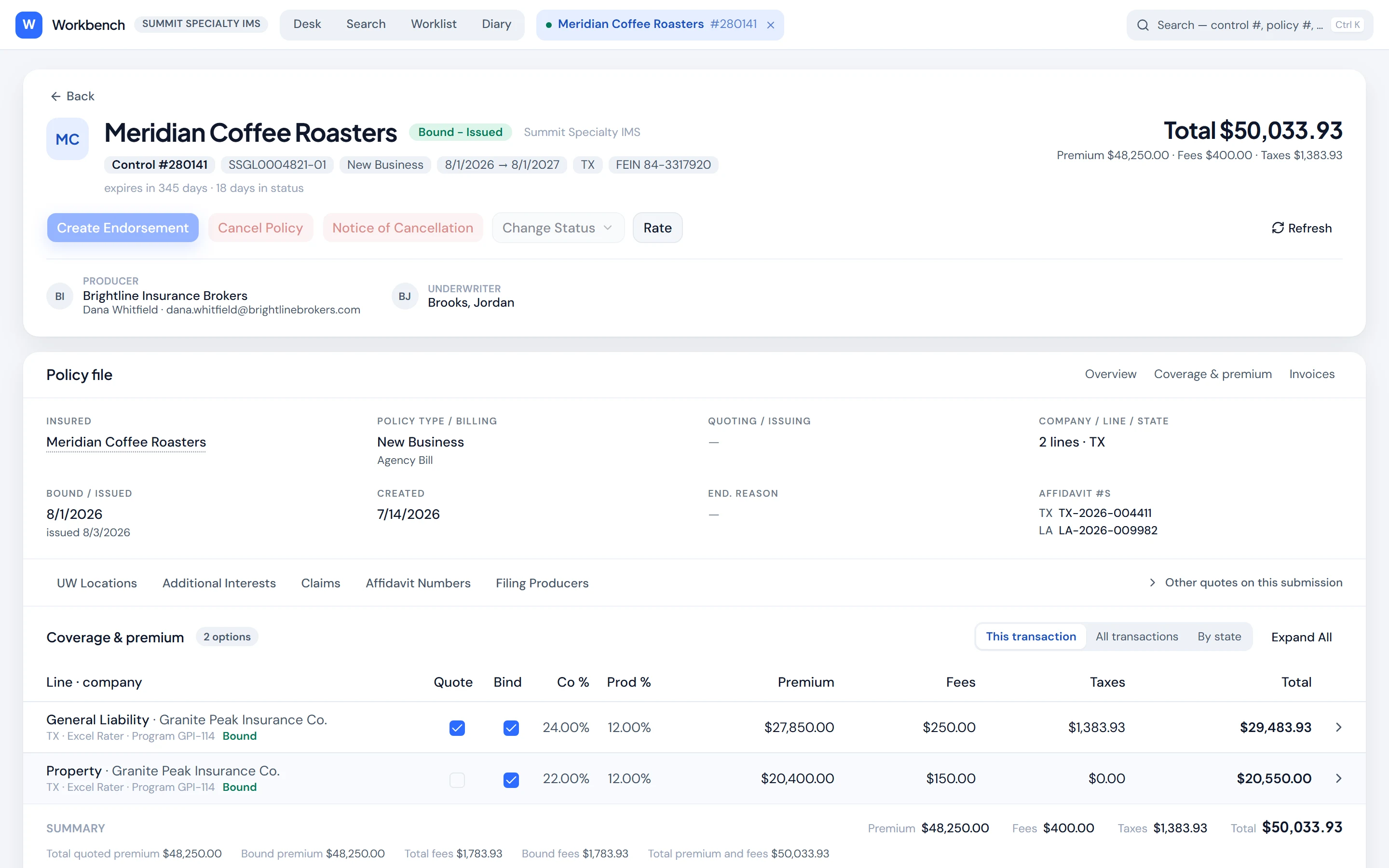
Underwriter workbench
Desk, search, worklist, diary and the whole policy file on the web: rate, bind, issue, endorse, cancel and reinstate.
Poh quotes and binds
Create the insured and submission, rate on your Excel rater, bind and issue, each behind an approval card in chat and reported done only once IMS confirms it. NetRate quotes are rated in the workbench.
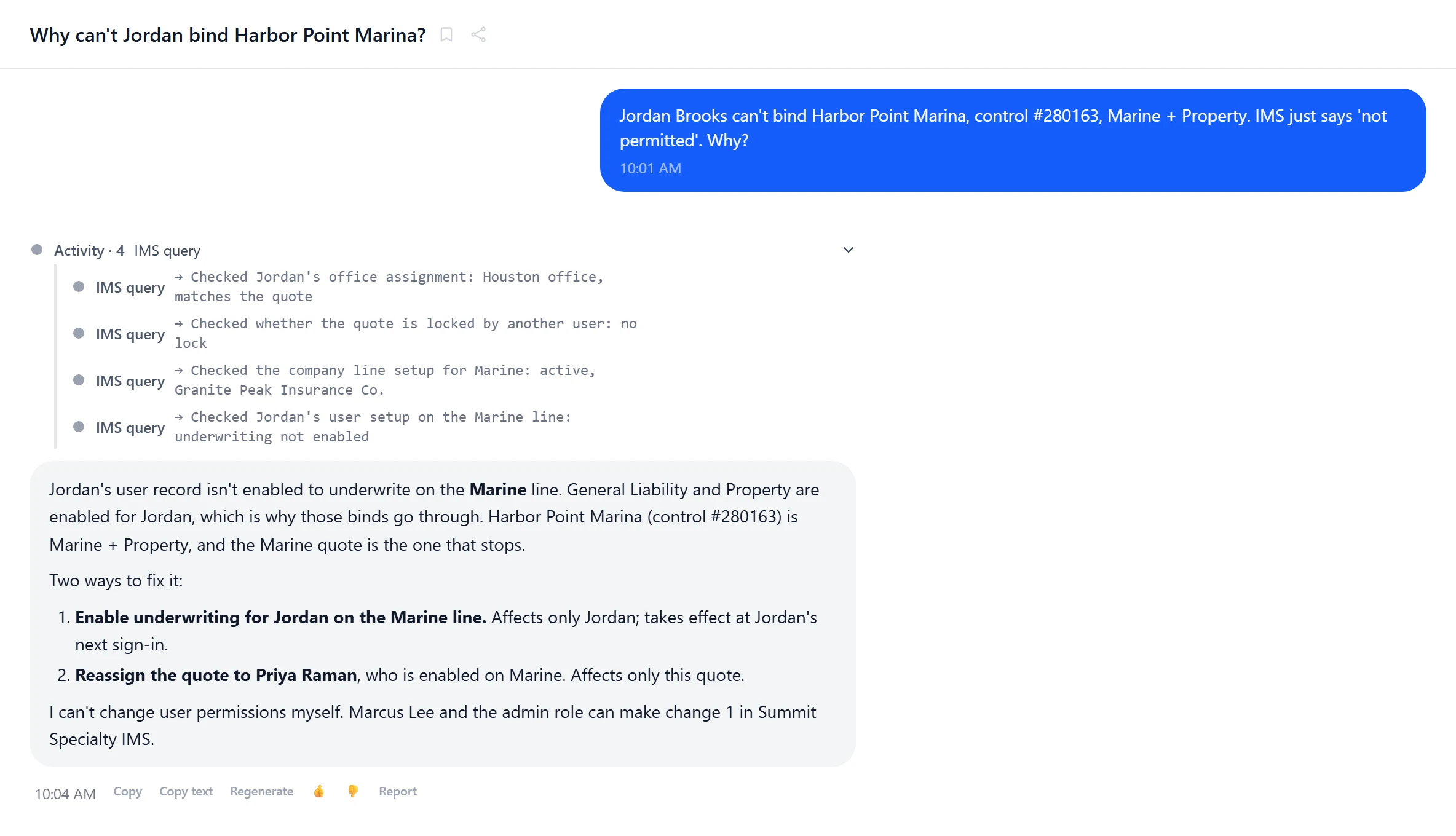
Ask Poh why
Permission blocks, raters that won’t populate, fees on the wrong line. Poh checks your configuration and explains it.
Read-only procedures, written by Poh
When a report needs it, Poh writes a read-only stored procedure for your IMS and deploys it only after you approve it. A gateway your DBA installs refuses any procedure that writes, and every run is rolled back.
Reports with every row
IMS tables and your custom tables, in saved reports and dashboards.
Documents filed where you expect
Emails, attachments and generated documents land in the right IMS folders.
Ask Poh why
“Why can’t Jordan bind this?”
Poh reads the user’s rights and groups, the binding requirements, the company line and the user’s visibility settings, names what is blocking, and lays out the fix and who on your team can make it. It never changes a setting on its own.
- Every check shown in plain English
- Fixes with their blast radius
- Who can make the change
- Minutes, not a support ticket
Getting connected
Connect
Your IMS web services address, a service login for setup and the broker portal, and each person’s own IMS login. Logins are encrypted and never shown to the AI, and changes in chat, the workbench and pages run on each person’s own login.
Poh learns your setup
Tables, reference data and your custom tables, so questions and pages use your names for things.
Work
Chat, the workbench, pages, the portal and automations all work against the same IMS. The workbench checks every action against the person’s IMS rights; the portal uses your instance’s service login.
Point Poh at your IMS test instance.
We'll connect Poh to your systems and work real examples with your team.