Documents
Poh reads every page, and shows its work.
Submissions, loss runs, schedules and policies, including scans and photos. Poh reads them page by page, and answers drawn from PDFs and scans cite the page and quote the passage.
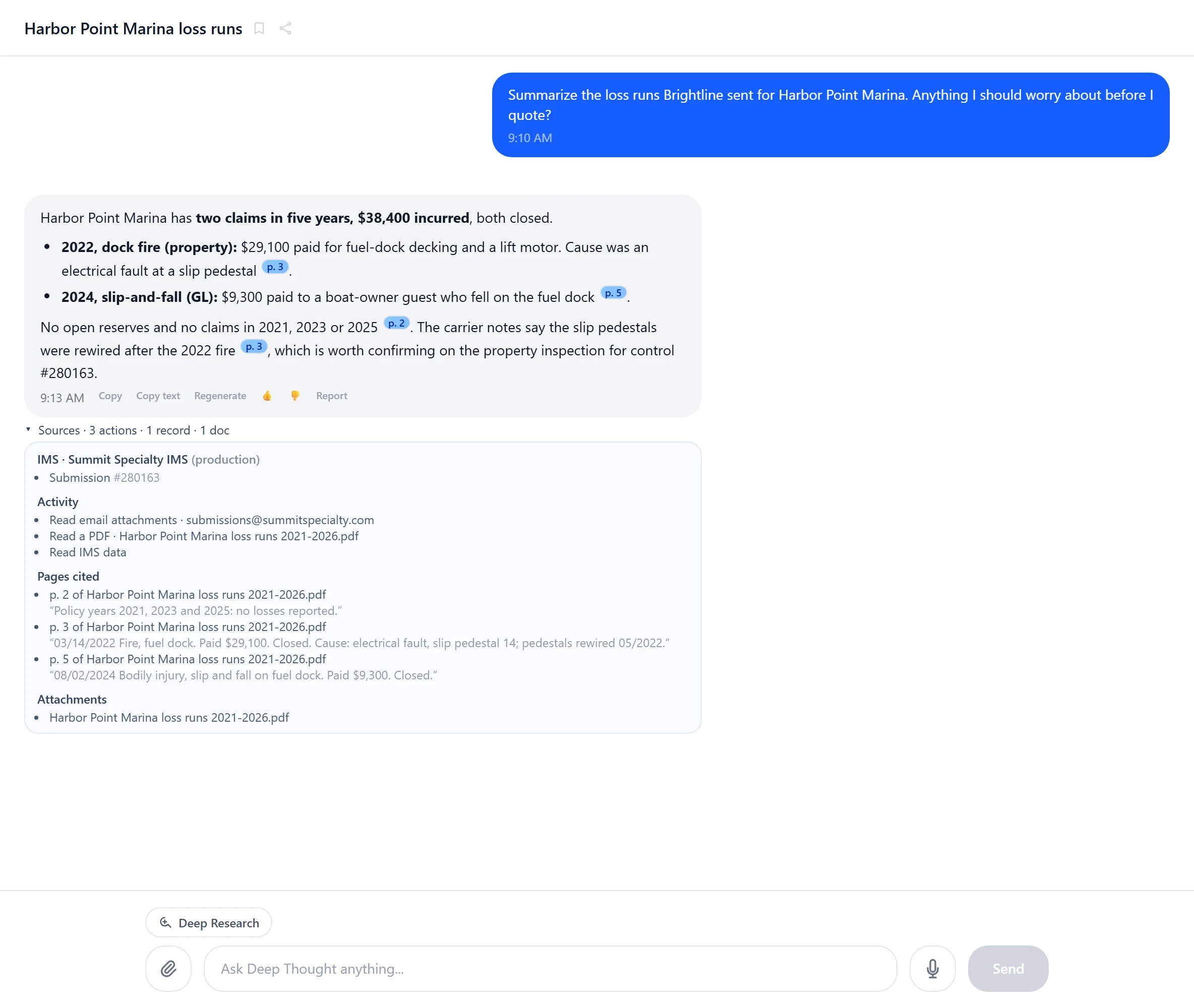
Every format a submission arrives in.
- PDFPage by page, with the page and passage cited
- ScansImage-only PDFs, read like any page
- PhotosJPEG and PNG, read like any page
- TIFFMulti-page files, read page by page
- ExcelRead, filled and calculated, formulas run
- WordRead like any other attachment
- Word
- PowerPoint
How it works
Drop it in or send it
Attach files in a conversation, or let them arrive by email.
Poh reads it
Page by page, after every file is scanned for malware.
Answers with sources
Answers drawn from PDFs and scans cite the page and quote the passage.
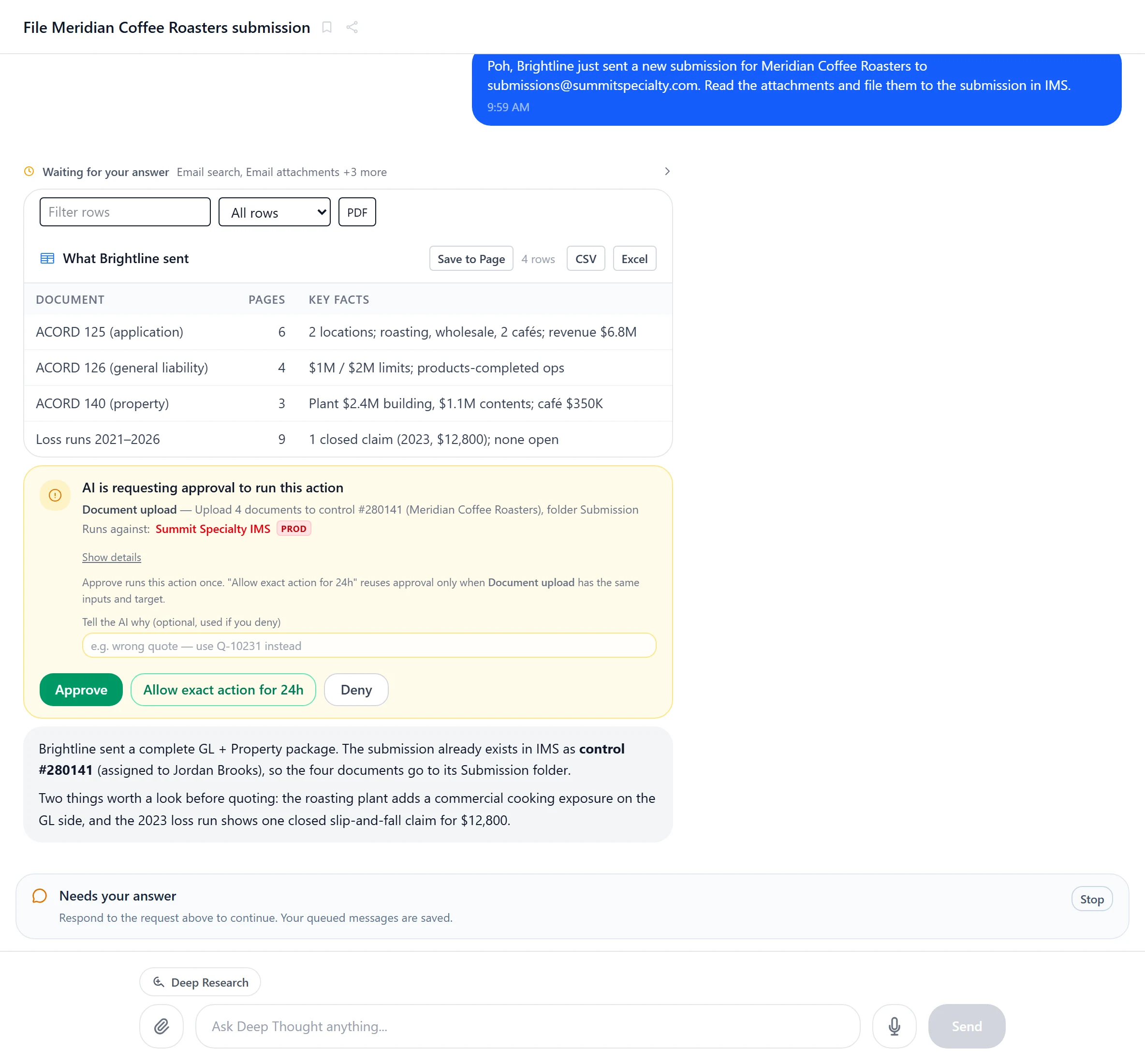
Every page accounted for
Poh tells you what arrived before it files anything.
Each document, its page count and the facts on it, laid out for the underwriter. In a conversation, filing waits for your Approve, and each figure names the page it came from.
- Page and passage cited
- Every file scanned first
- Scans, photos and spreadsheets
- Files out in Office formats and PDF
What Poh does with documents
Spreadsheets filled and calculated
Including your own rating workbooks, with the formulas run.
Show sources
See the page number and quoted passage behind an answer.
Filed to the account
On IMS, documents are saved to the right submission.
Heavy analysis
Poh runs Python in an isolated sandbox for large tables and calculations.
Send Poh your thickest submission.
We'll connect Poh to your systems and work real examples with your team.