Custom pages
If your team can describe it, Poh can build it.
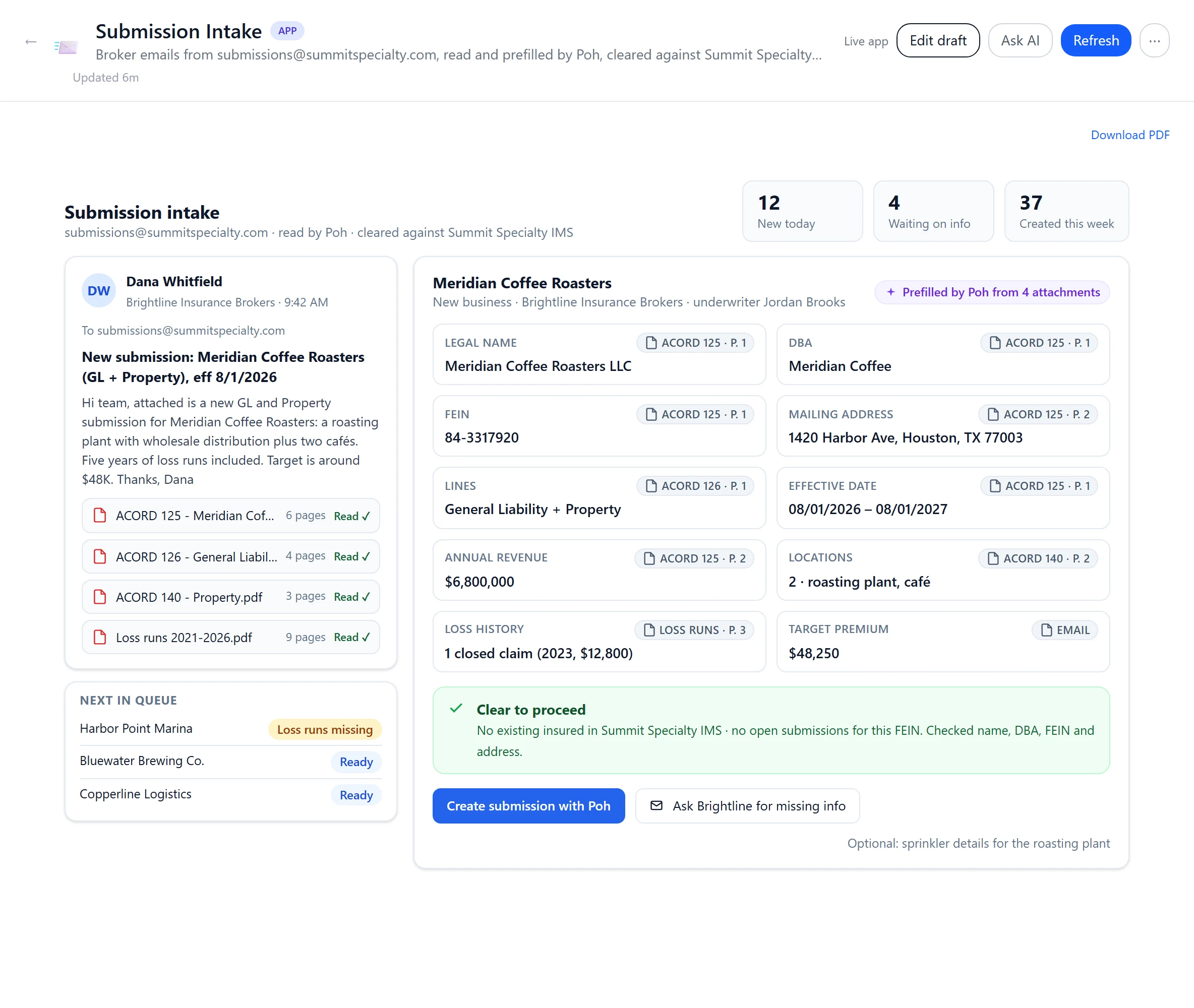
Submission intake, data feeds, renewal desks, clearance checks and claims alerts: working apps built on your policy admin system and your data. They read live, change records only after an approval, and every person opens them with their own login.
From idea to app
Describe it
Tell Poh what the page is for, who uses it, what it reads and what it should change.
Poh builds and checks it
It assembles the app, wires it to your systems and checks it in a real browser.
Approve and share
Your administrator reviews the page and approves any button that writes, then it goes to the people who need it.
What else Poh builds.
Renewals, clearance, claims and bordereaux: pages that read live from your systems and line up the work for the desk.
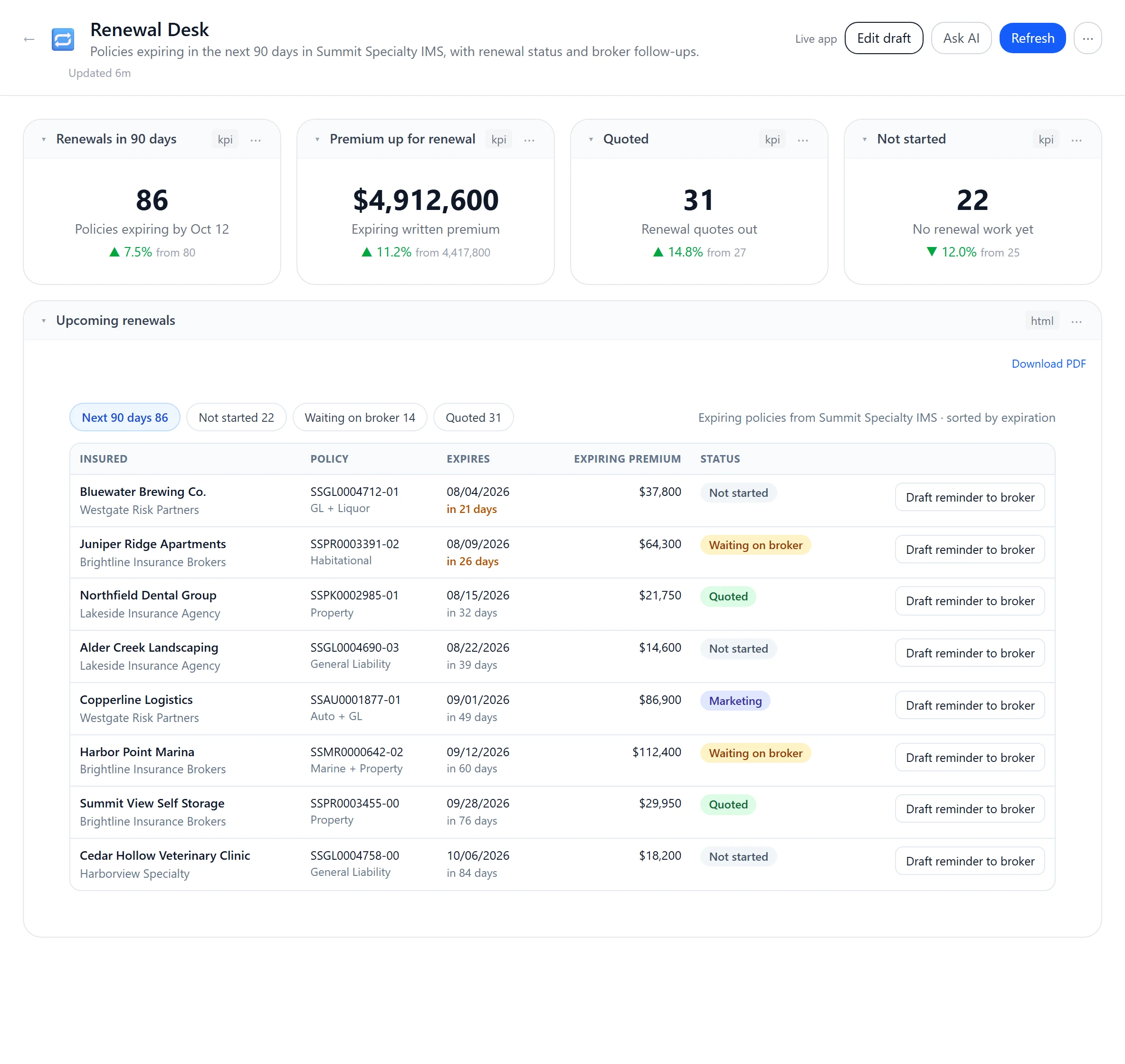
Renewal deskEvery renewal in the next 90 days, with the broker nudge drafted for you. 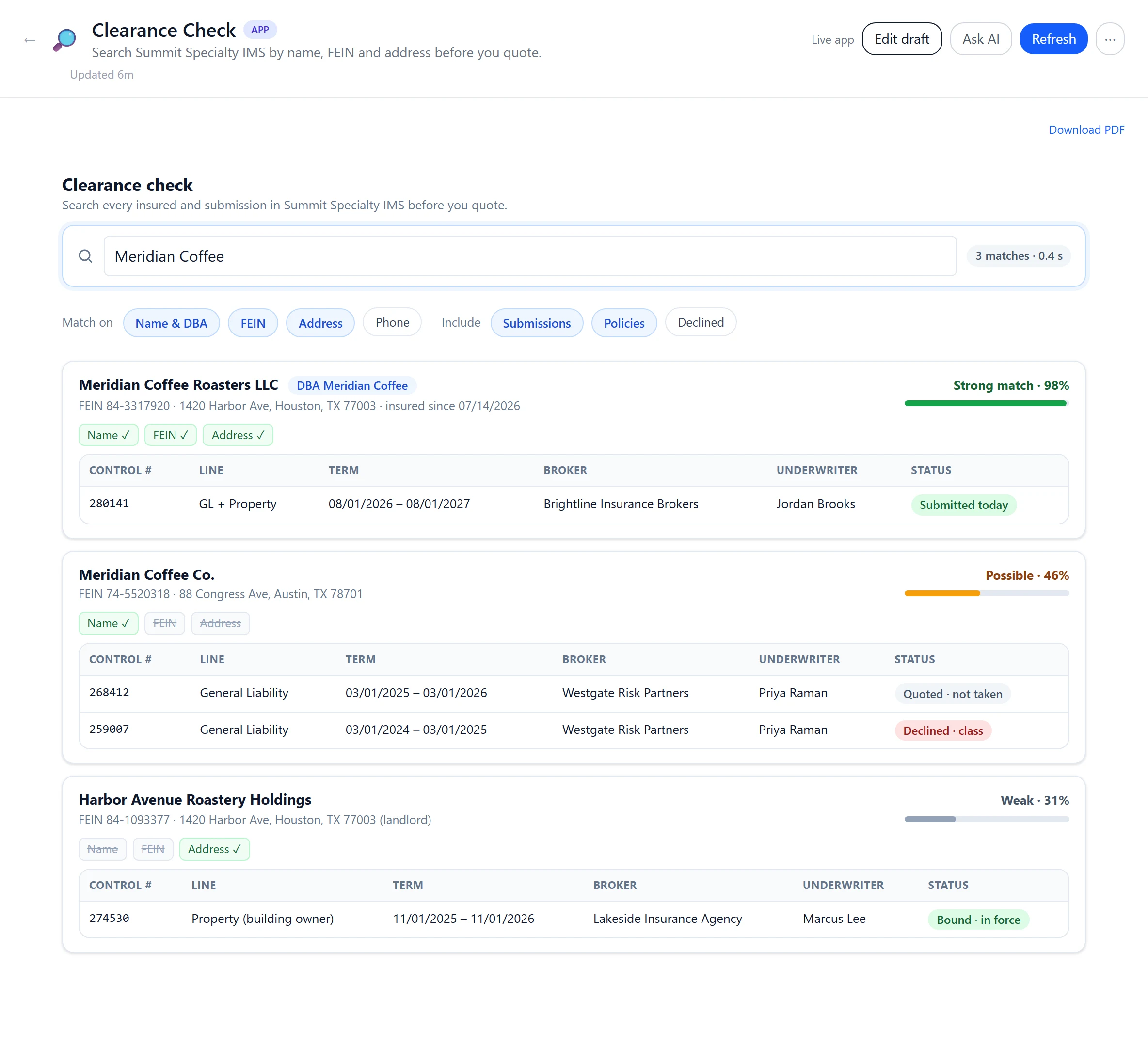
Clearance checkName, FEIN and address matched across your policy system before anyone quotes. 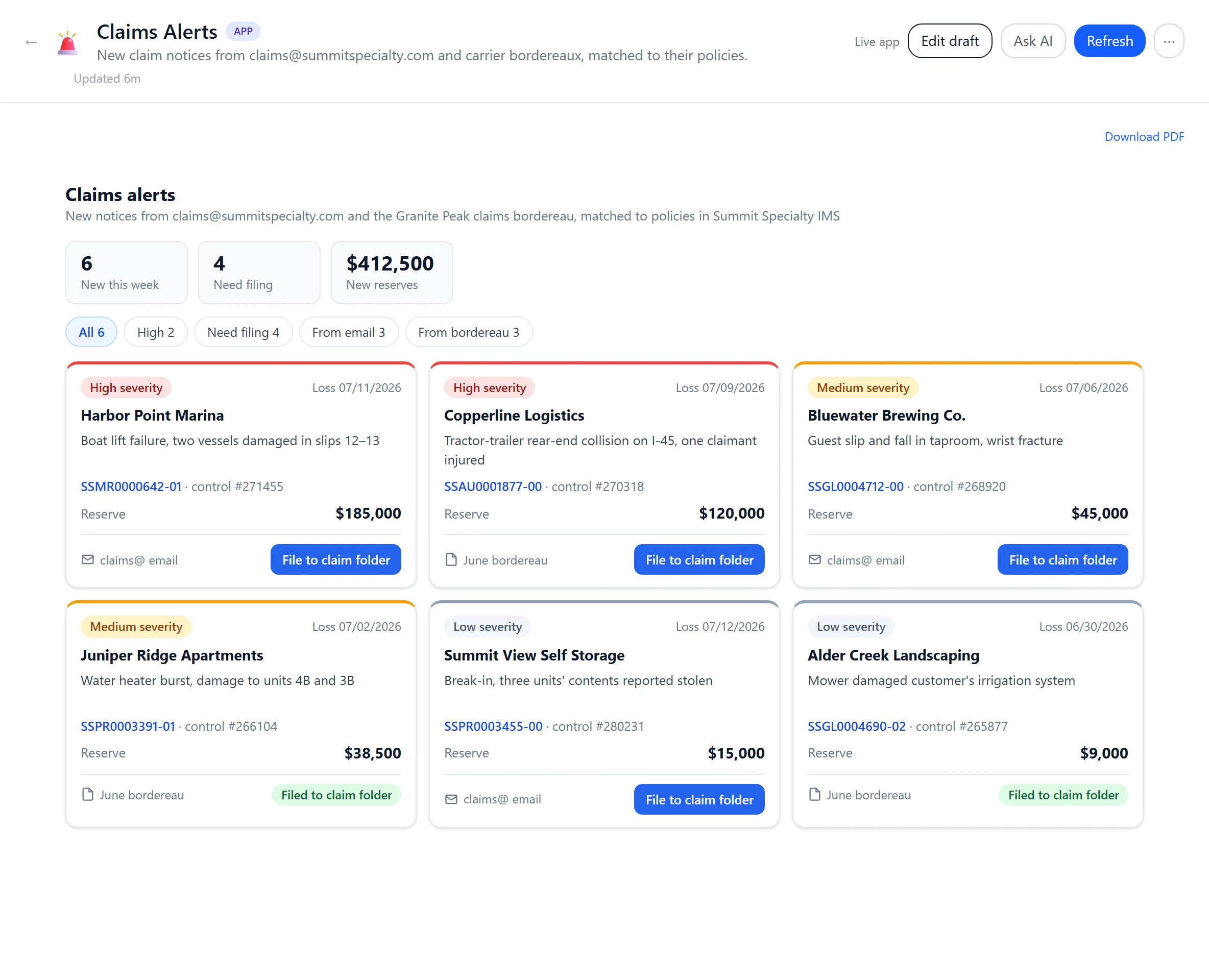
Claims alertsNew notices from claims@ and bordereaux, linked to the policy and filed to its IMS folder. 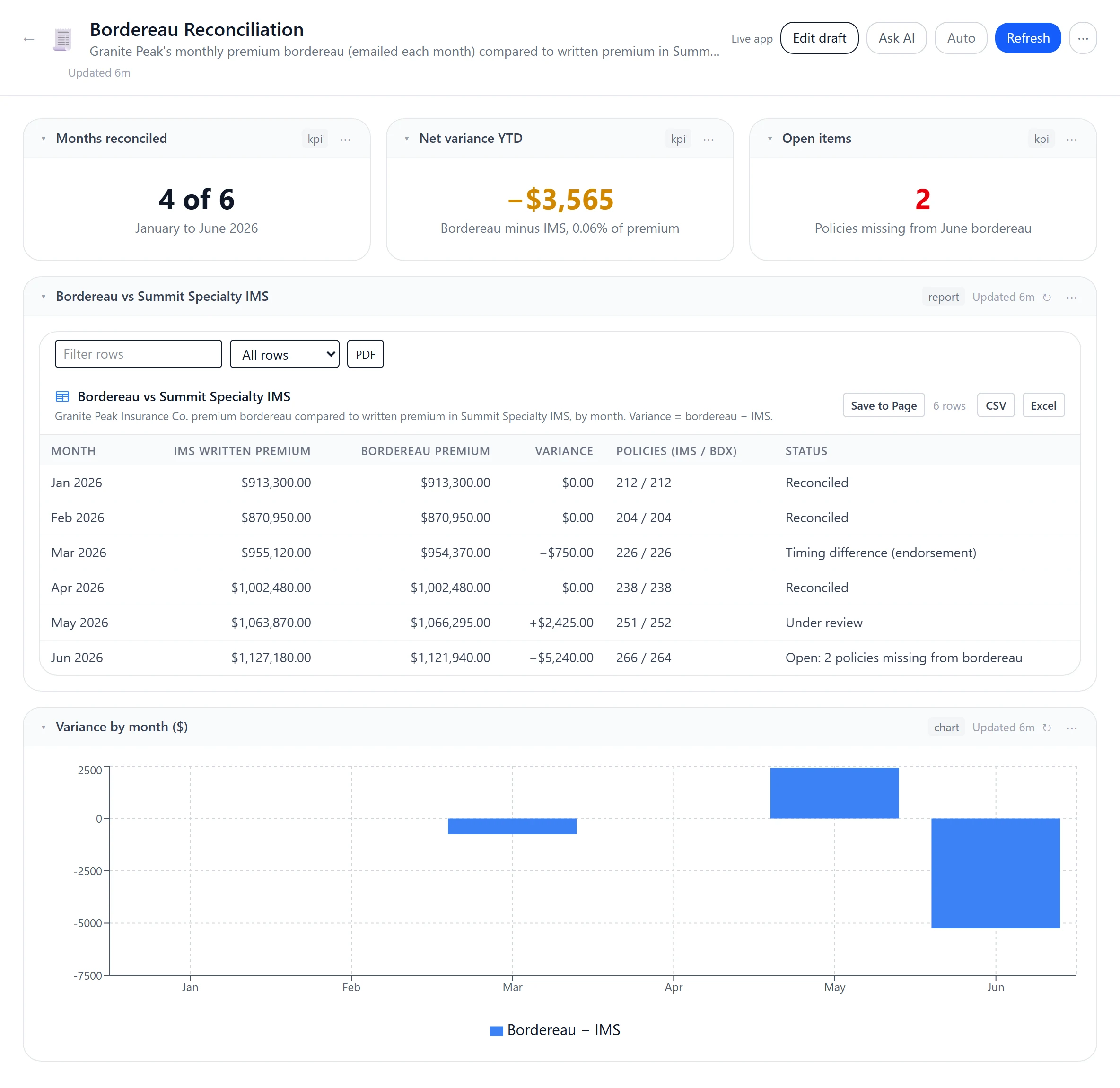
Bordereau reconciliationCarrier bordereaux checked against your policy system, month by month, variances flagged.
What you can build
Submission intake
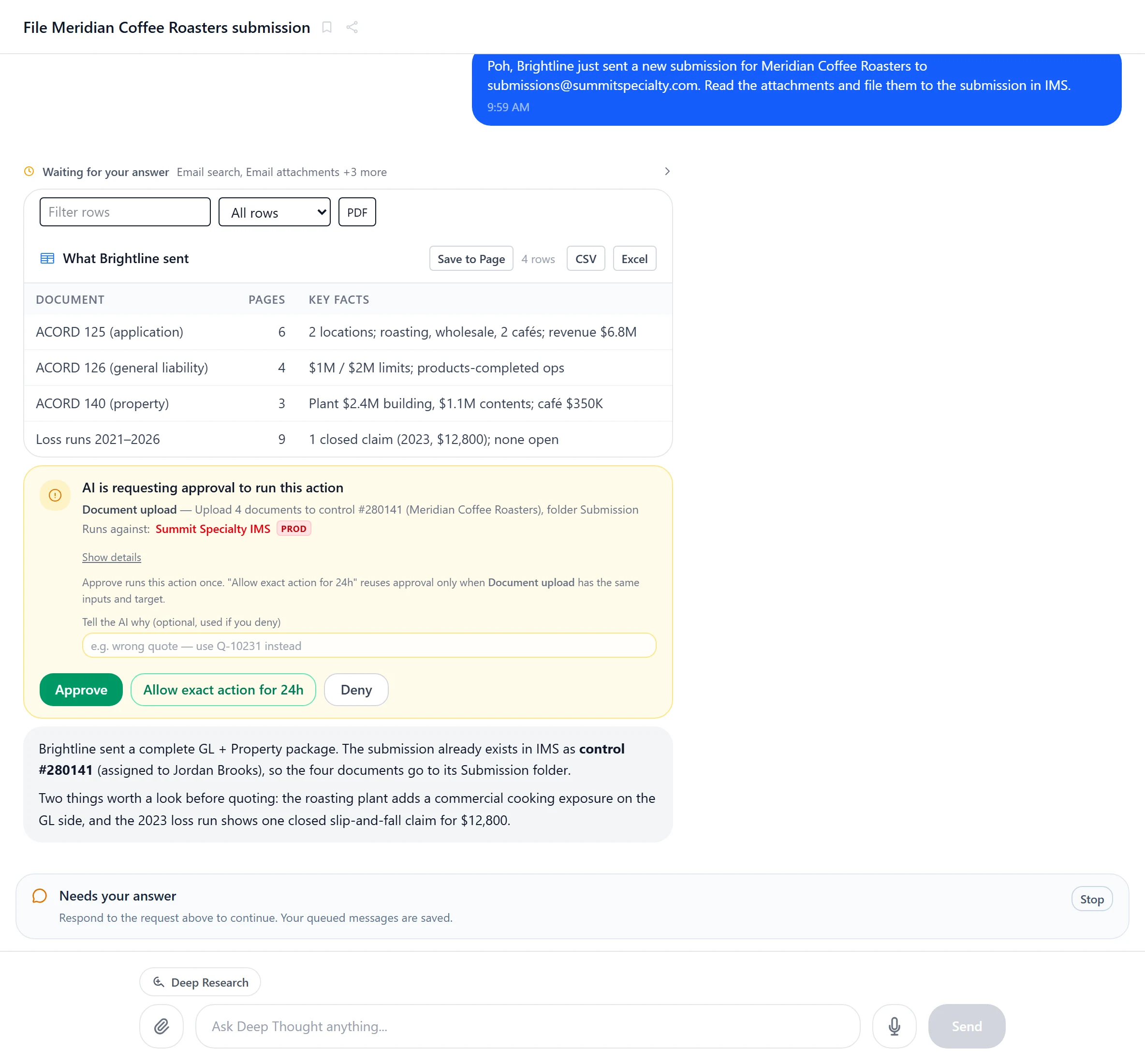
Broker emails become clean submissions: fields filled from the documents, clearance checked, and Poh creates the submission in IMS when you approve it.
Data feeds
Production, pipeline, loss ratios and bordereaux across your policy system and databases, with saved reports that return every row and Excel export from the page.
Pages that move work
Renewal desks and referral queues that line up the work, draft the broker email and hand policy-system changes to Poh for your approval.
Live from every system
Your policy admin system, mail and web APIs on one page, with SQL Server and PostgreSQL through saved reports and dashboards.
Smart buttons
Buttons that ask Poh to read, summarize or draft, with typed inputs and results.
On any screen
The same page on a desktop or a phone, refreshed when it opens or on demand.
Governed
Powerful apps, with approval before any change.
On a shared page, buttons that change records stay off until an administrator approves them, and any edit to the page revokes that approval. On your own page, a button that writes through a Connection asks you to confirm each time. Changes to your policy system go through Poh with your Approve, and every action is audited.
- Administrator approval for shared writes
- Typed approval to switch on production writes
- Reviewed sharing and version history
- Each viewer’s own login
Name the app your team has always wanted.
We'll connect Poh to your systems and work real examples with your team.