Deep Thought
// automations

Work that happens without you.

When an email lands, a file arrives, or a schedule fires, the right work just runs — handled by your agent, on your behalf, with a record of everything it did.

// triggers

Start from any event your team already lives in.

Point an automation at the moment that matters. The agent watches for it and acts as soon as it's picked up — no one has to remember to start the work.

New email

A submission, a binder request, or a follow-up arrives in a shared inbox — and the agent picks it up and gets to work.

Calendar event

A renewal date, a bind deadline, or a meeting fires the prep work that needs to be ready beforehand.

File uploaded

An ACORD, a loss run, or a spreadsheet lands in a watched folder and kicks off intake automatically.

Inbound webhook

Another system pings the agent with a signed request — connect rating tools, portals, or partner feeds.

On a schedule

Run a task every morning, every Monday, or on any cron pattern — reports, syncs, and reminders on time.

Internal events

React to things that happen inside your platform — a quote's status changes, an endorsement is made, a document is uploaded.

// flagship

Automated submissions, end to end.

The work that eats an underwriter's morning, handled before anyone opens the inbox.

A broker email becomes a submission — automatically.

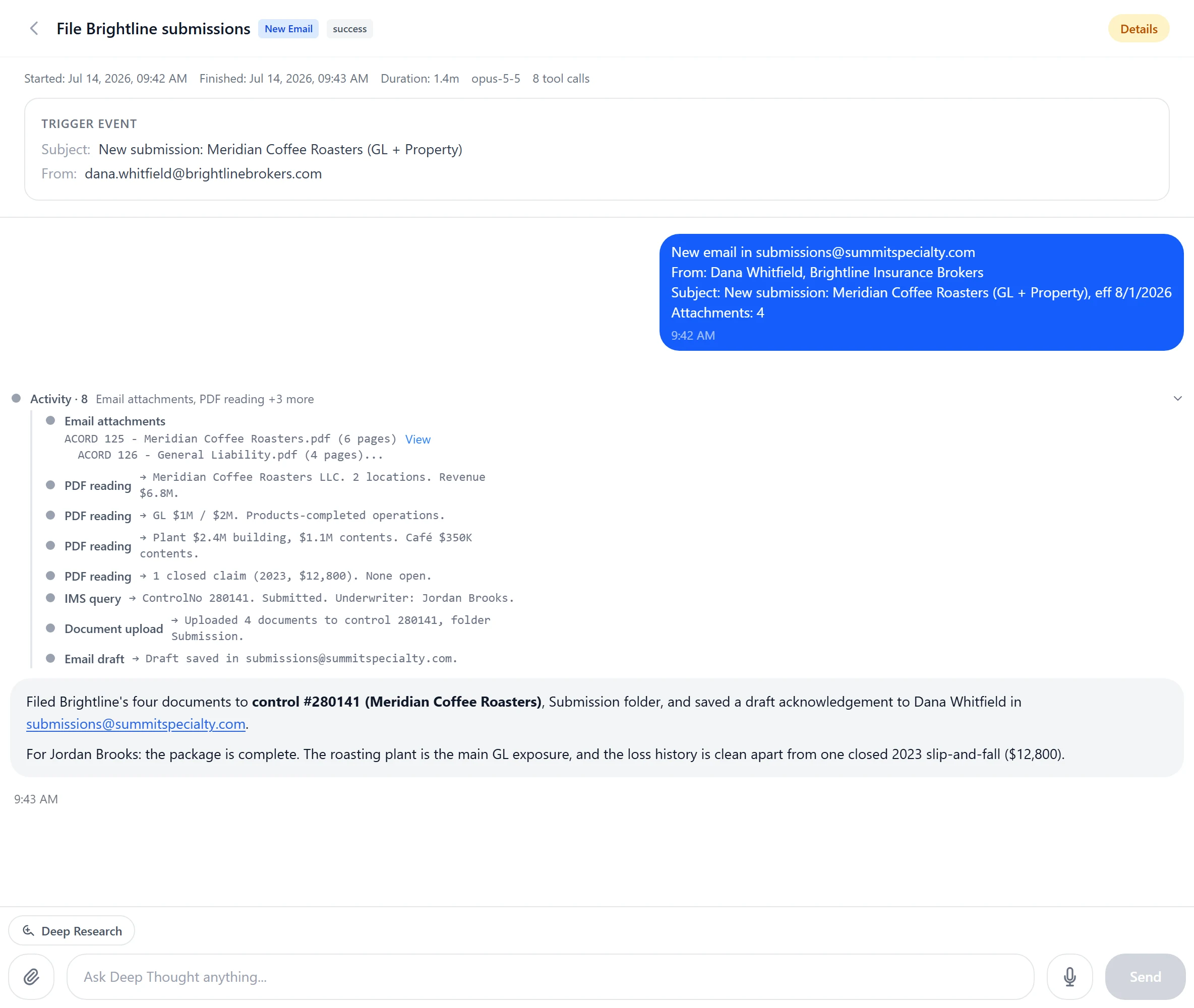
When a submission lands in a watched inbox, the agent reads the email and its attachments, pulls the insured, exposures, and coverage details out of the ACORD, and creates the submission directly in your system of record.

Then it routes the work to the right person for review — so your underwriters open a ready-to-quote file instead of a blank form.

inbox
New submission — GL renewal
broker@agency.com · ACORD 125 attached
ACORD_125.pdfloss_runs.xlsx
parse · create · route
added to IMS
InsuredAcme Logistics LLC
LineGeneral Liability
StatusRouted for review
// controls

Set conditions, cooldowns, and approval gates.

Automations run on your terms. You decide exactly when they fire and what they're allowed to do without you.

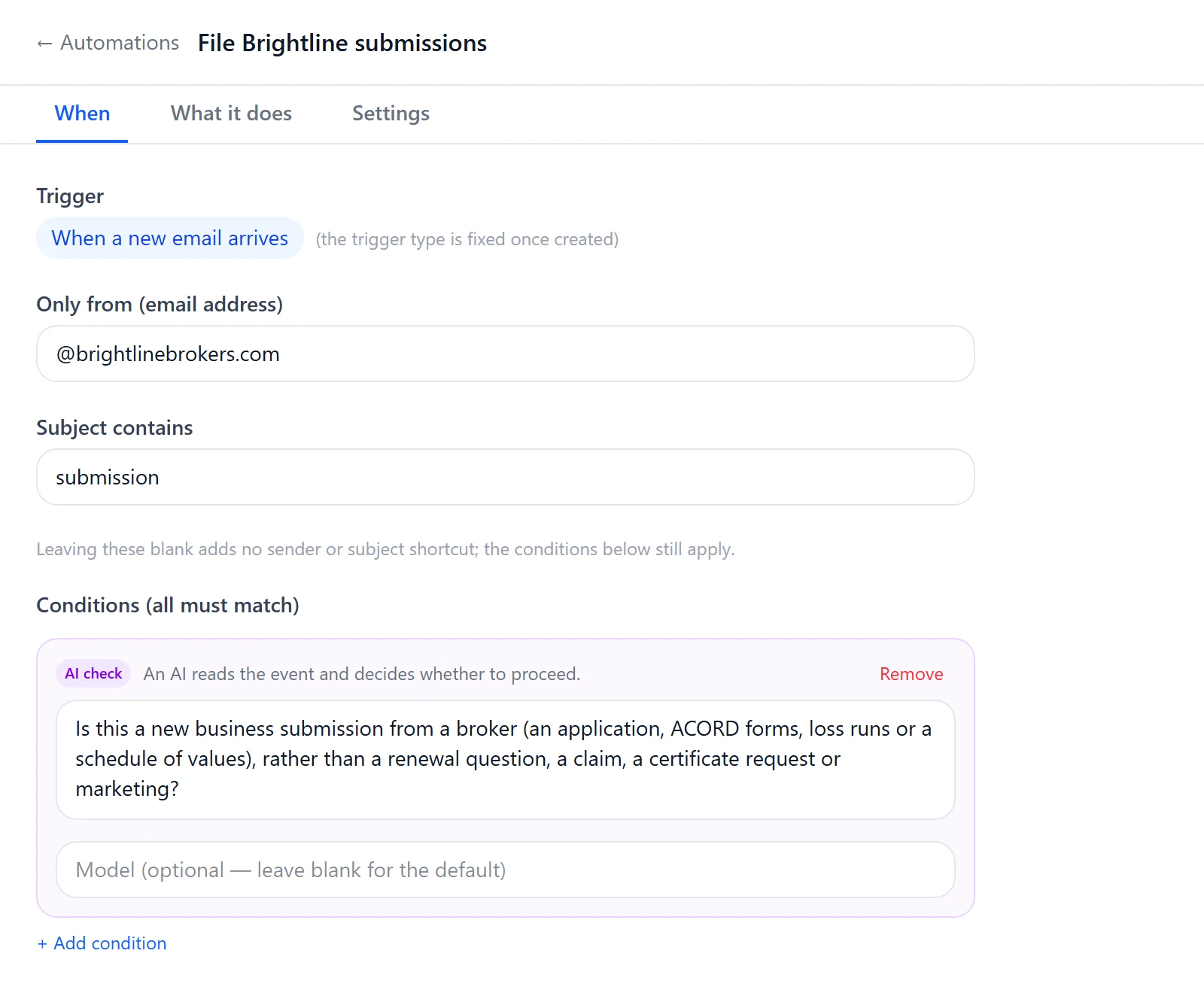
  • Conditions on the event — only act when it matches the criteria you set, like a specific sender, subject, or document type.
  • Rate limits and cooldowns — cap how often an automation can run so a busy inbox never triggers a flood of work.
  • Require human approval on sensitive actions — the agent prepares the work and holds it for a person to confirm before it's committed.
  • Full audit of every run — what fired it, what the agent did, what it changed, and who approved it, all on the record.
run record
TriggerNew email · GL submission
ConditionMatched: attachment is ACORD
CooldownWithin limit (3 of 20 / hr)
ApprovalConfirmed by J. Reyes
ResultSubmission created · routed
// governance

Built once, shared safely.

One person designs an automation that works — and the whole team gets it, without anyone copying a thing by hand.

01

A user proposes it

Anyone can build an automation that solves a real piece of their day and submit it for the team to use.

02

An admin approves it

A reviewer checks what it does and what it can touch, then promotes it for the organization.

03

The team activates it

Each person turns it on for themselves — it runs on their behalf, scoped to what they're allowed to do.

Automations always act with a specific person's permissions — never more — and every action they take is fully audited, so shared automation never means shared blind spots.

// ready?

Put the busywork on autopilot.

Tell us about the work that fills your inbox, and we'll show you the automations that can run it for you — start to finish.

POH idle