Any data source
Your policy system and your databases, in one place.
Connect a SQL Server or PostgreSQL database with a read-only login. Poh maps every table and relationship, learns your business terms and answers across systems.
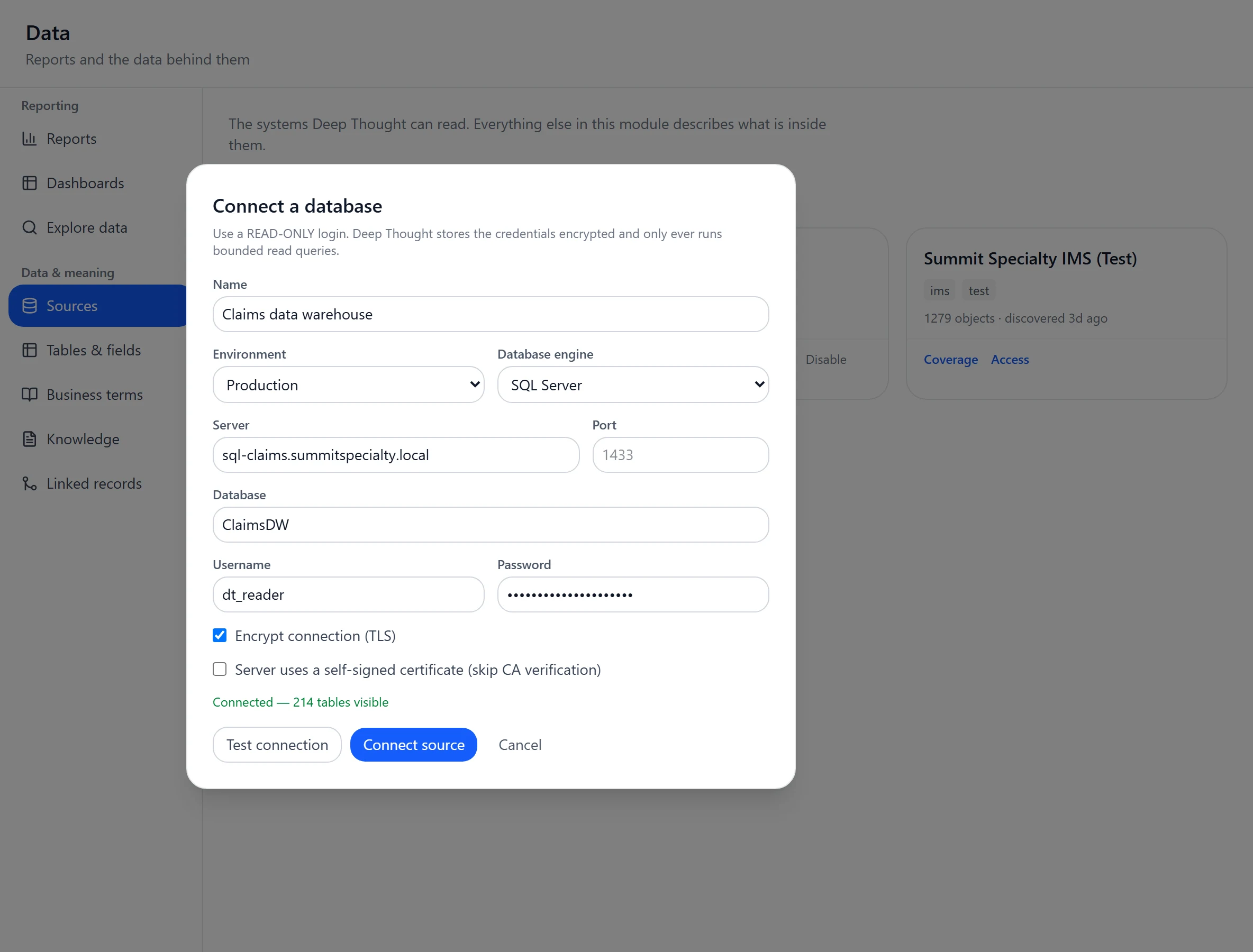
Every source, one picture.
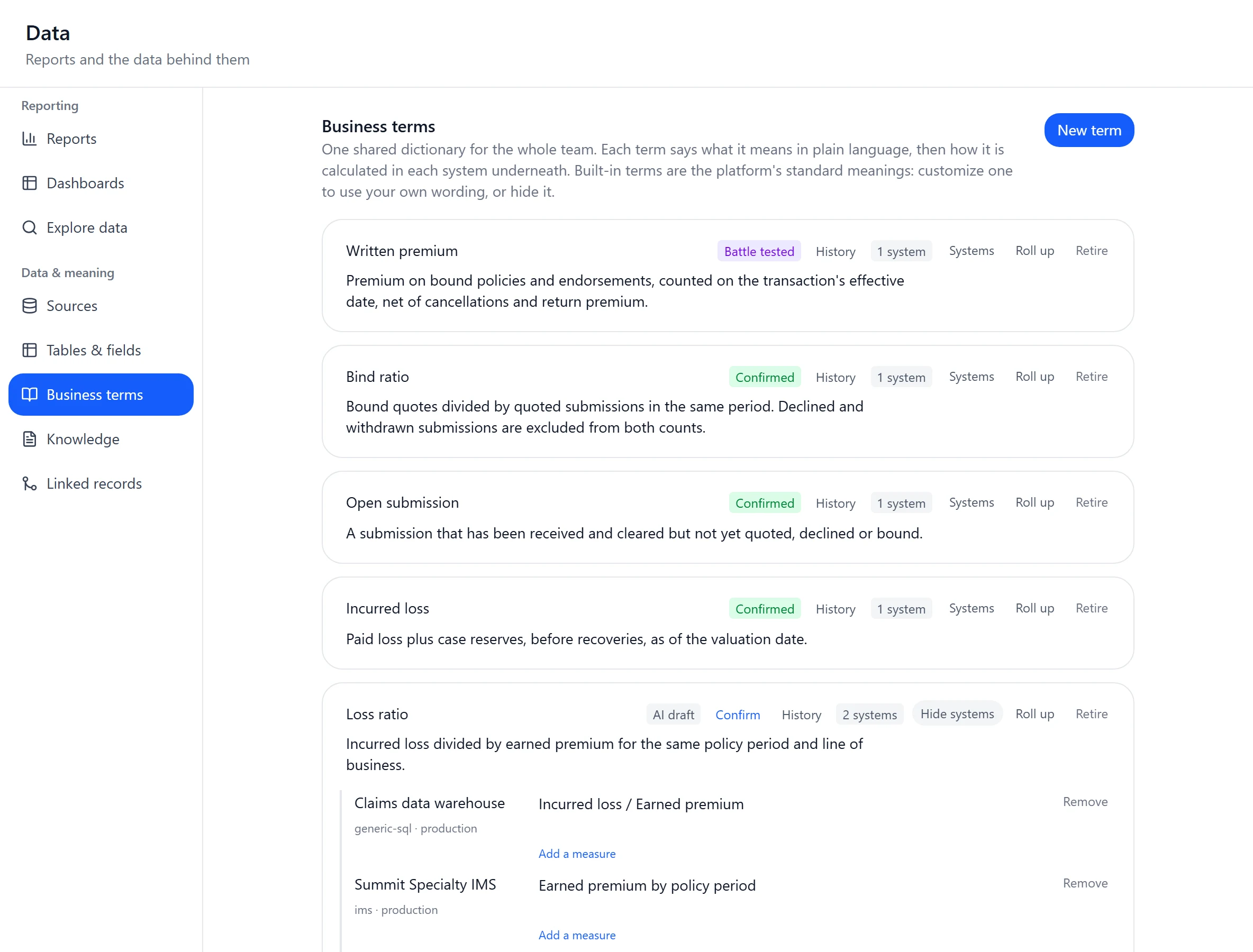
Poh maps what each system holds and what your business terms mean in each, so one question can span all of them.
- IMS
- SQL Server
- PostgreSQL
- Web APIs, through Connections
- Answers in chat
- Saved reports with every row
- Dashboards
- Custom pages
How it works
Connect
Enter the server and a read-only login. The connection is tested before anything saves.
Map
Poh reads the catalog of tables, views, columns and keys, and drafts plain-English labels for you to review.
Define
Set business terms like written premium once and map them to each system. Totals show each system’s value and are held back when adding would mislead.
For groups that run several MGAs
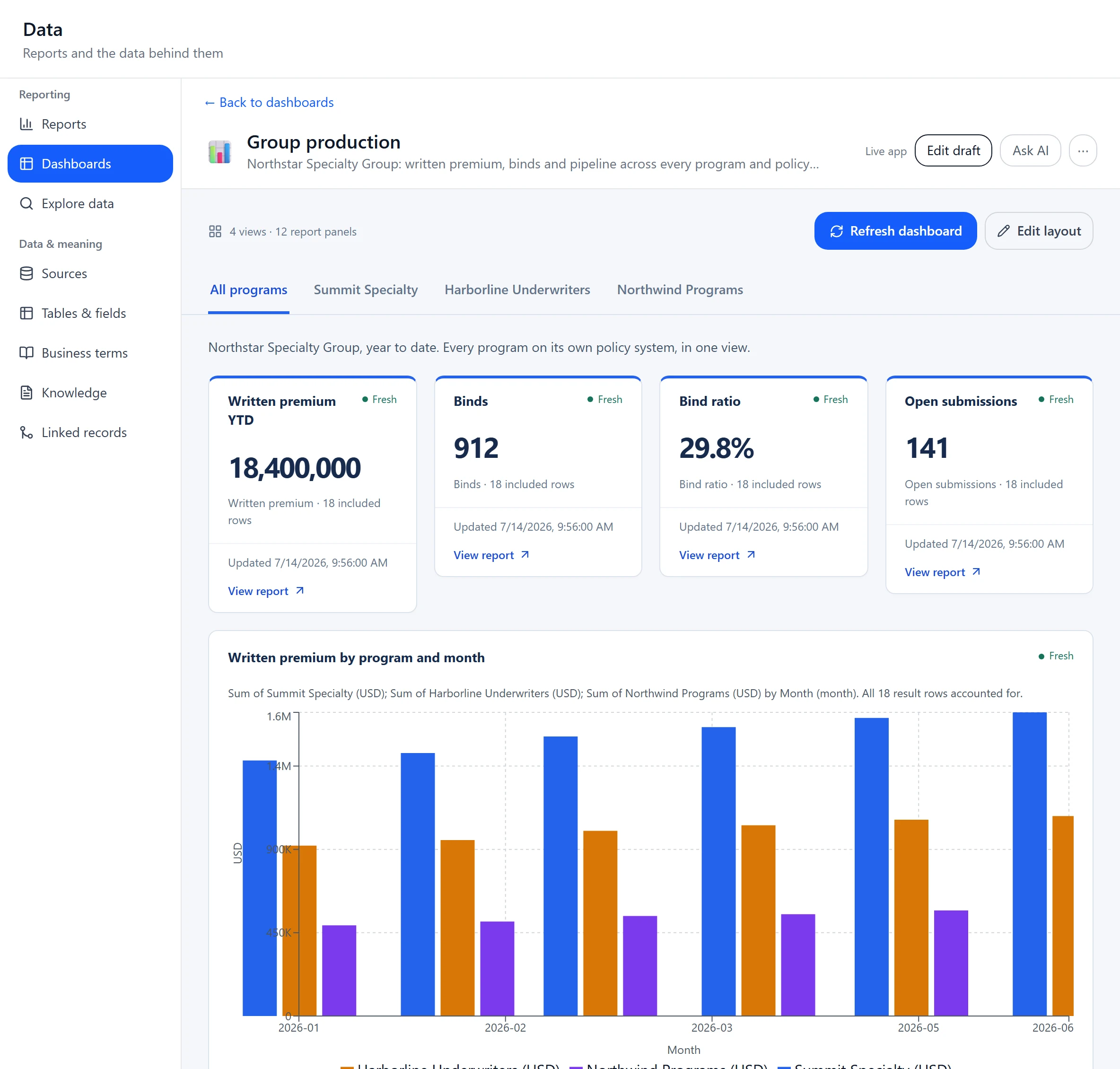
One view above every program, whatever system each one runs.
Connect every program’s policy system and databases to one workspace. Group reports and dashboards sit across all of them, each person reaches only the systems they’re granted, and business terms map to each system. Acquire an MGA on IMS, SQL Server or PostgreSQL and it joins the same picture.
- Every program in one workspace
- Group reporting across systems
- Access per person and per system
- Terms mapped to each system
Built for your data team
Read-only, enforced
Only read queries run. PostgreSQL sessions are read-only, and SQL Server refuses a login with write rights before running your SQL.
Credentials stay sealed
Encrypted, and never shown to the AI or sent to the browser.
Reports with every row
Saved reports return every row, with folders, versions, schedules and CSV.
Dashboards
Panels built from saved reports, with tabs and shared filters.
Web APIs through Connections
Anything with a web API and credentials is available to Poh, pages and automations.
Access person by person
Each source is granted to the people who should see it.
Ask the question across every system.
We'll connect Poh to your systems and work real examples with your team.